Hi,
I am trying to build transactional email content.
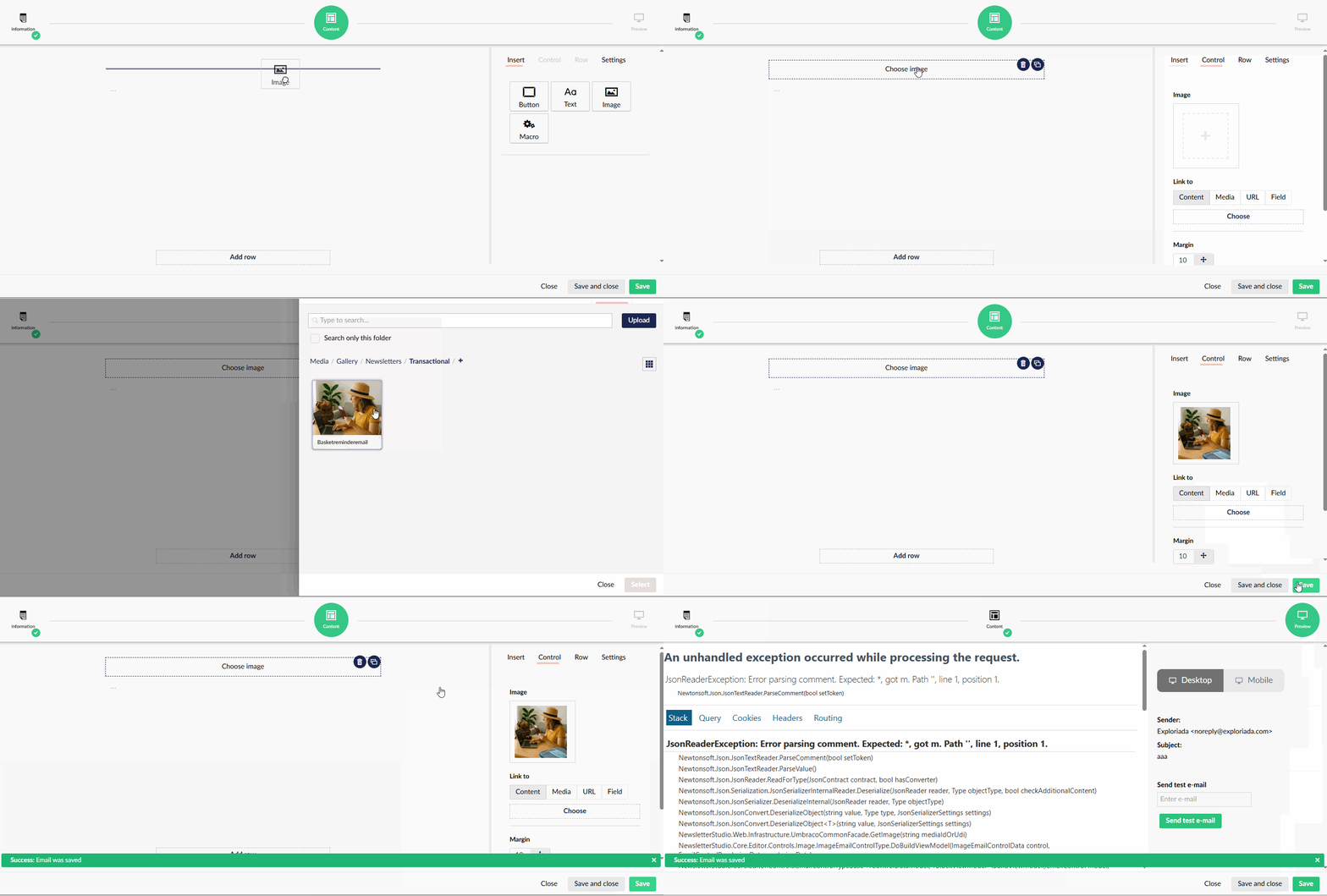
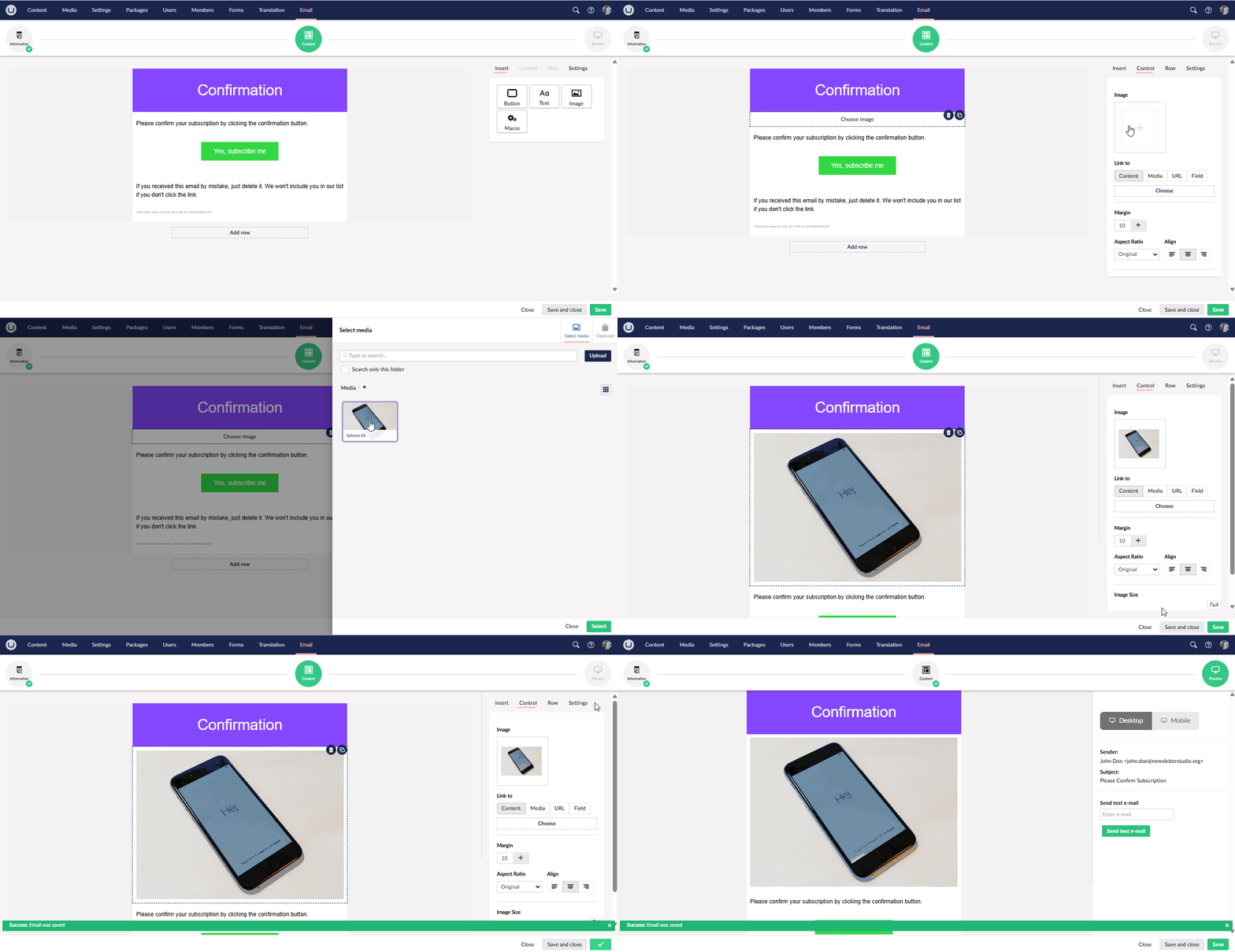
- Added a new row, then
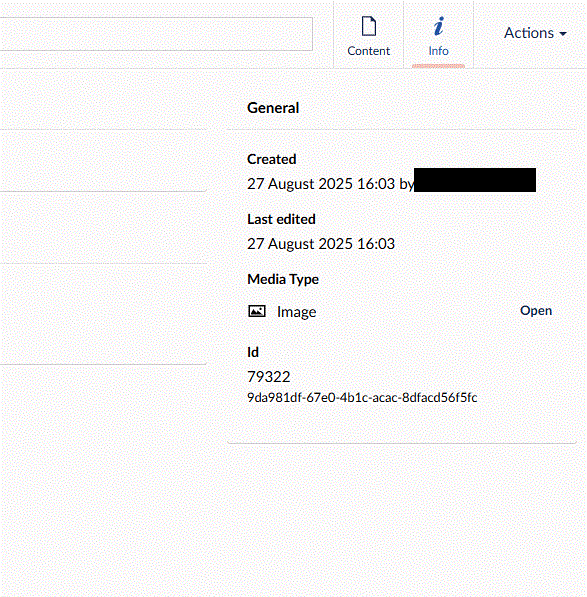
- Insert > Image > selected an image from Media
- The body preview still shows '“Choose image” button and the selected image does not appear inserted.
- Clicked save button at the bottom and still the same.
- Clicked Preview tab, and got the error:
 # An unhandled exception occurred while processing the request.

 JsonReaderException: Error parsing comment. Expected: \*, got m. Path '', line 1, position 1.

 Newtonsoft.Json.JsonTextReader.ParseComment(bool setToken)

 * Stack

 * Query

 * Cookies

 * Headers

 * Routing


 * ## JsonReaderException: Error parsing comment. Expected: \*, got m. Path '', line 1, position 1.

   * ### Newtonsoft.Json.JsonTextReader.ParseComment(bool setToken)

   * ### Newtonsoft.Json.JsonTextReader.ParseValue()

   * ### Newtonsoft.Json.JsonReader.ReadForType(JsonContract contract, bool hasConverter)

   * ### Newtonsoft.Json.Serialization.JsonSerializerInternalReader.Deserialize(JsonReader reader, Type objectType, bool checkAdditionalContent)

   * ### Newtonsoft.Json.JsonSerializer.DeserializeInternal(JsonReader reader, Type objectType)

   * ### Newtonsoft.Json.JsonConvert.DeserializeObject(string value, Type type, JsonSerializerSettings settings)

   * ### Newtonsoft.Json.JsonConvert.DeserializeObject<T(string value, JsonSerializerSettings settings)

   * ### NewsletterStudio.Web.Infrastructure.UmbracoCommonFacade.GetImage(string mediaIdOrUdi)

   * ### NewsletterStudio.Core.Editor.Controls.Image.ImageEmailControlType.DoBuildViewModel(ImageEmailControlData control, EmailControlRenderingData renderingData)

   * ### NewsletterStudio.Core.Editor.Controls.EmailControlTypeBase<TControlDataModel, TBlockViewModel.BuildViewModel(IEmailControl model, EmailControlRenderingData renderingData)

   * ### NewsletterStudio.Core.Rendering.EmailRenderer.MapToViewModel(EmailContent em)

   * ### NewsletterStudio.Core.Rendering.EmailRenderer.SetModel(Email email, RenderingMode mode)

   * ### NewsletterStudio.Core.Frontend.Rendering.RenderEmailControllerActions.RenderTransactional(Guid key)

   * ### lambda_method2052(Closure , object , object\[\] )

   * ### Microsoft.AspNetCore.Mvc.Infrastructure.ActionMethodExecutor+SyncActionResultExecutor.Execute(ActionContext actionContext, IActionResultTypeMapper mapper, ObjectMethodExecutor executor, object controller, object\[\] arguments)

   * ### Microsoft.AspNetCore.Mvc.Infrastructure.ControllerActionInvoker.InvokeActionMethodAsync()

   * ### Microsoft.AspNetCore.Mvc.Infrastructure.ControllerActionInvoker.Next(ref State next, ref Scope scope, ref object state, ref bool isCompleted)

   * ### Microsoft.AspNetCore.Mvc.Infrastructure.ControllerActionInvoker.InvokeNextActionFilterAsync()

   * ### Microsoft.AspNetCore.Mvc.Infrastructure.ControllerActionInvoker.Rethrow(ActionExecutedContextSealed context)

   * ### Microsoft.AspNetCore.Mvc.Infrastructure.ControllerActionInvoker.Next(ref State next, ref Scope scope, ref object state, ref bool isCompleted)

   * ### Microsoft.AspNetCore.Mvc.Infrastructure.ControllerActionInvoker.InvokeInnerFilterAsync()

   * ### Microsoft.AspNetCore.Mvc.Infrastructure.ResourceInvoker.<InvokeNextResourceFilterg__Awaited|25_0(ResourceInvoker invoker, Task lastTask, State next, Scope scope, object state, bool isCompleted)

   * ### Microsoft.AspNetCore.Mvc.Infrastructure.ResourceInvoker.Rethrow(ResourceExecutedContextSealed context)

   * ### Microsoft.AspNetCore.Mvc.Infrastructure.ResourceInvoker.Next(ref State next, ref Scope scope, ref object state, ref bool isCompleted)

   * ### Microsoft.AspNetCore.Mvc.Infrastructure.ResourceInvoker.InvokeFilterPipelineAsync()

   * ### Microsoft.AspNetCore.Mvc.Infrastructure.ResourceInvoker.<InvokeAsyncg__Awaited|17_0(ResourceInvoker invoker, Task task, IDisposable scope)

   * ### Microsoft.AspNetCore.Mvc.Infrastructure.ResourceInvoker.<InvokeAsyncg__Awaited|17_0(ResourceInvoker invoker, Task task, IDisposable scope)

   * ### Umbraco.Cms.Web.Common.Middleware.BasicAuthenticationMiddleware.InvokeAsync(HttpContext context, RequestDelegate next)

   * ### Microsoft.AspNetCore.Builder.UseMiddlewareExtensions+InterfaceMiddlewareBinder+<c__DisplayClass2_0+<<CreateMiddlewareb__0d.MoveNext()

   * ### Umbraco.Cms.Web.BackOffice.Middleware.BackOfficeExternalLoginProviderErrorMiddleware.InvokeAsync(HttpContext context, RequestDelegate next)

   * ### Microsoft.AspNetCore.Builder.UseMiddlewareExtensions+InterfaceMiddlewareBinder+<c__DisplayClass2_0+<<CreateMiddlewareb__0d.MoveNext()

   * ### Swashbuckle.AspNetCore.SwaggerUI.SwaggerUIMiddleware.Invoke(HttpContext httpContext)

   * ### Swashbuckle.AspNetCore.Swagger.SwaggerMiddleware.Invoke(HttpContext httpContext, ISwaggerProvider swaggerProvider)

   * ### Microsoft.AspNetCore.Session.SessionMiddleware.Invoke(HttpContext context)

   * ### Microsoft.AspNetCore.Session.SessionMiddleware.Invoke(HttpContext context)

   * ### Microsoft.AspNetCore.Localization.RequestLocalizationMiddleware.Invoke(HttpContext context)

   * ### Microsoft.AspNetCore.Authorization.AuthorizationMiddleware.Invoke(HttpContext context)

   * ### Microsoft.AspNetCore.Authentication.AuthenticationMiddleware.Invoke(HttpContext context)

   * ### StackExchange.Profiling.MiniProfilerMiddleware.Invoke(HttpContext context) in **`MiniProfilerMiddleware.cs`**

   * ### Umbraco.Cms.Web.Common.Middleware.UmbracoRequestMiddleware.InvokeAsync(HttpContext context, RequestDelegate next)

   * ### Umbraco.Cms.Web.Common.Middleware.UmbracoRequestMiddleware.InvokeAsync(HttpContext context, RequestDelegate next)

   * ### Microsoft.AspNetCore.Builder.UseMiddlewareExtensions+InterfaceMiddlewareBinder+<c__DisplayClass2_0+<<CreateMiddlewareb__0d.MoveNext()

   * ### Umbraco.Cms.Web.Common.Middleware.PreviewAuthenticationMiddleware.InvokeAsync(HttpContext context, RequestDelegate next)

   * ### Microsoft.AspNetCore.Builder.UseMiddlewareExtensions+InterfaceMiddlewareBinder+<c__DisplayClass2_0+<<CreateMiddlewareb__0d.MoveNext()

   * ### Umbraco.Cms.Web.Common.Middleware.UmbracoRequestLoggingMiddleware.InvokeAsync(HttpContext context, RequestDelegate next)

   * ### Microsoft.AspNetCore.Builder.UseMiddlewareExtensions+InterfaceMiddlewareBinder+<c__DisplayClass2_0+<<CreateMiddlewareb__0d.MoveNext()

   * ### SixLabors.ImageSharp.Web.Middleware.ImageSharpMiddleware.Invoke(HttpContext httpContext, bool retry)

   * ### RobotsHeaderMiddleware.InvokeAsync(HttpContext context) in **`RobotsHeaderMiddleware.cs`**

     +

     21.         **await \_next(context);**

   * ### SixLabors.ImageSharp.Web.Middleware.ImageSharpMiddleware.Invoke(HttpContext httpContext, bool retry)

   * ### WebPMiddleware.Invoke(HttpContext httpContext) in **`WebPMiddleware.cs`**

     +

     33.         **await \_next(httpContext);**

   * ### Microsoft.AspNetCore.Diagnostics.DeveloperExceptionPageMiddlewareImpl.Invoke(HttpContext context)
Any idea how to insert a media item in the email body?