haskichasan
September 25, 2025, 12:17pm
1
Hy folks,
Just wondering if anyone try to upload favicon trough Umbraco media.
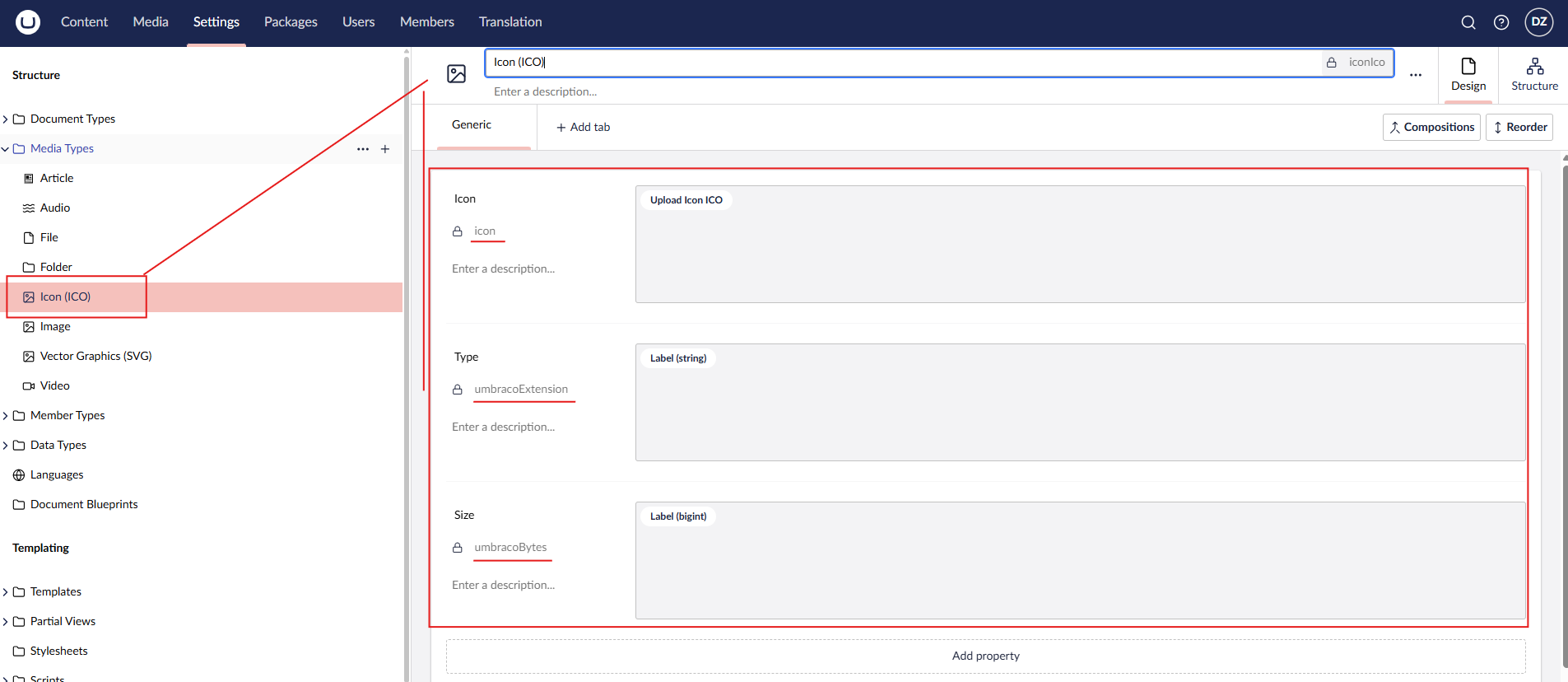
When I try to upload it:
I can’t..
Also I made some changes in appsetings.json
“CMS”: {
Where did I make mistake or what did I miss? Or is it even possible to add it?
jacob
September 25, 2025, 1:09pm
2
Just from looking at the screenshot, one immediate action is to rename the alias of the “Icon” field to ”umbracoFile”. It is a ‘magic’ system field that just needs to be there for files. Take a look at the other media types to see what kind of properties they have.
Apart from that, Umbraco has no default preview for ICO files, so you would need to add that as a backoffice extension. You can see the default extensions here:
export const manifests: Array<UmbExtensionManifest> = [
	{
		type: 'fileUploadPreview',
		alias: 'Umb.FileUploadPreview.Audio',
		name: 'Audio File Upload Preview',
		weight: 100,
		element: () => import('./input-upload-field-audio.element.js'),
		forMimeTypes: ['audio/*'],
	},
	{
		type: 'fileUploadPreview',
		alias: 'Umb.FileUploadPreview.File',
		name: 'General File Upload Preview',
		weight: 100,
		element: () => import('./input-upload-field-file.element.js'),
		forMimeTypes: ['*/*'],
	},
	{
		type: 'fileUploadPreview',
		alias: 'Umb.FileUploadPreview.Image',
show original
1 Like
Thanks, the solution was in wrong naming, I just name it like you write me “umbracoFile“. Thanks
system
November 20, 2025, 7:41am
5
This topic was automatically closed 30 days after the last reply. New replies are no longer allowed.