I’ve upgraded a site from v13 > v17 and used the Opinionated Starter Kit to rewrite my packages. I’ve got the packages rewritten locally, but when pushing to Umbraco Cloud the necessary files aren’t added to the site. If I transfer them manually to the site everything works correctly.
I think this is because the starter kit creates a razor class library (called ‘UmbracoExtensions’) which then ‘mounts’ the resulting files to the site when running locally, and I think the cloud deploy process only builds one project.
How can I add the output of the additional Razor class library to my Umbraco Cloud instance?
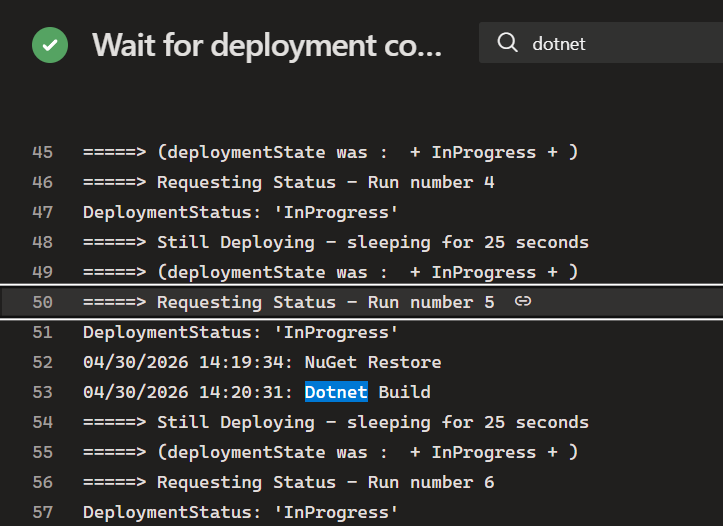
Are you able to look at the output when you commit your changes to see what it is building? As far as I know, it should build the web project and any project references. If you’re just referencing a DLL and not the project itself maybe that doesn’t get included?
Are these not public packages you want to deploy to Nuget?
I think it does build the project, but this action does not add the files into where they need to be.
The .umbraco files looks like this:
I did try adding the UmbracoExtensions folder into the .umbraco file, but this doesn’t have a .csproj file so the .umbraco file was flagged as invalid.
Theses are not nuget appropriate packages, they are bespoke to this project.
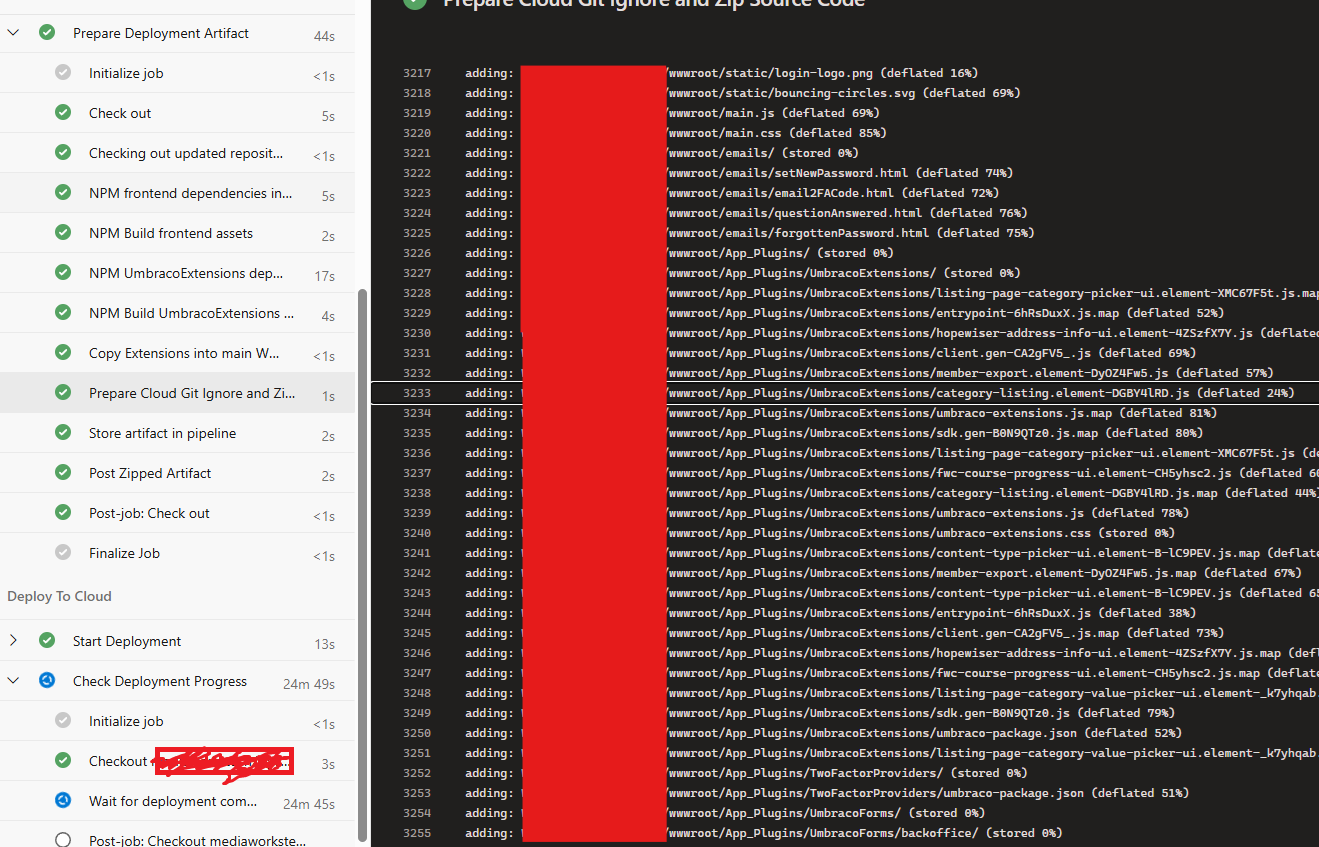
You’re right that cloud doesn’t run any npm scripts, I had to add those into the provieded .yml files (you can see them in the above screenshot)
I think the issue may be that the Opinionated Package Template is designed to push a package to NuGet, not be added to a solution and deployed directly. Are you able to create your own RCL project instead? Alternatively, you may be able to use a private NuGet feed and pick up the packages that way?
Forgive me! That screenshot was from my final working version. I just didn’t wait the 30 minutes for my pipeline to finish (timeout) so that I could see the changes.
My solution was this:
Inside the provided cloud-artifact.yml file, add the following steps:
# Install NPM dependencies for Extensions
- script: |
    cd UmbracoExtensions/Client/
    npm install
  displayName: NPM UmbracoExtensions dependencies install

# Build the extensions
- script: |
    cd UmbracoExtensions/Client/
    npm run build
  displayName: NPM Build UmbracoExtensions assets

# Copy files & delete origin
- script: |
    cp -r -v UmbracoExtensions/wwwroot/App_Plugins/UmbracoExtensions {your-main-project-name}/wwwroot/App_Plugins
    rm -r UmbracoExtensions/wwwroot/App_Plugins/UmbracoExtensions
  displayName: Copy Extensions into main folder
Just before the switch the gitignore files so cloud does not ignore the build frontend assets step. Replacing {your-main-project-name} with the name of your main build project, of course.
This just runs the extensions build, and moves the files where they need to be. There was some trail and error to get the above scripts, as the original files also need to be deleted (otherwise, you get some hilarious build errors that the file exists in two places and it doesn’t know what to output, despite the build not outputting the files).
To answer your other questions @justin-nevitech : yes the UmbracoExtensions is added as a project reference within the Web project; and while the Opinionated Package Template does contain the mechanism to publish to NuGet, it seems a bit overkill to implement a custom NuGet feed for this, I’m not even sure if that’s possible in Umbraco Cloud?
you’d also need to add to the .nuget sources (just a file in the solution root, or I think added in the csproj also a possibility), with a Github personal access token (cloud secret?).. so that the cloud deployment can consume those packages..
However, I do have RCL projects created from the umbraco-pacakge-extension template.. and deploying to azure (not cloud) I do end up with the files present.. (though for expediacy I npm run build locally and commit the files in the wwwroot/app_plugins/package-name folder.. )
I know generated files in the repo…
ps have you checked the stored artifact.zip contains the files you are missing?
I think I’ve written my question poorly here, sorry about that. These aren’t intended to be packages published or downloadable anywhere, they are only extensions to the Umbraco site. I realise referring to them as packages and using the Opinionated Starter Kit made this confusing.
(though for expediacy I npm run build locally and commit the files in the wwwroot/app_plugins/package-name folder..
That’s cheating I would like to do this, but changing the UmbracoExtensions build output into my Web project didn’t go well.
ps have you checked the stored artifact.zip contains the files you are missing?
Tried that, but the artifact .zip file is corrupt when downloaded. I wonder if that’s related to my deployment timeout issues, come to think of it
You shouldn’t need to change build output paths.. As it’s an RCL Project anything in the project wwwroot folder should be surfaced as staticassets, as you have a project dependency in your www project. <Project Sdk="Microsoft.NET.Sdk.Razor">
You can do a test release publish and you should see the files appear on disk (for release publish they get persisted to disk, rather than dev where they are inmemory?)
PS another thing to watch out for is make sure you add concrete versions to the packages refs created via the umbraco-package-extension.. by default it has no versions set, which is fine for creating a package as pack stamps the actual version, for a project leaving empty will result in the latest umbraco version always applying and updating your cloud instance, something you may or may not want
This is another stumbling block; the cloud deployment does not publish the web project, it only builds it. Hence the issue. You’re totally right that the published output contains the files from the RCL, I’ve checked that locally.
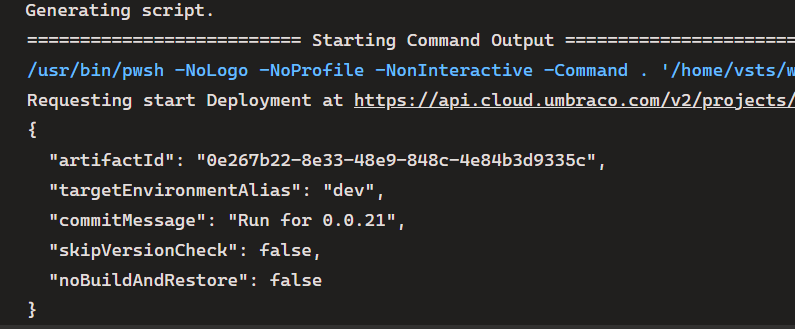
The cloud build is triggered by making a request to the cloud repo, so the command is out of the developers hands (unless I’m overlooking something or misunderstanding, which is entirely possible).
We had to do something recently as well, it will be open source, but still a private repo at the moment, so I’ll show some files and the explanation. We’re running GitHub workflows and the big one is this:
I believe the npm run build:for:cloud step is something you get when you set up the extensions template, in your package.json you should see this: "build:for:cloud": "npm run build && node ./devops/copy-for-cloud.js",
Do this right before your zip step, so the files get copied to the right location and then will be zipped up for deployment to your Cloud site.
Update: oh and then note the comment next to run: cp cloud.gitignore .gitignore:
switch the gitignore files so cloud does not ignore the build frontend assets
The reason the swap matters: Umbraco Cloud unpacks the uploaded artifact into a git repository on the Cloud side. If the original .gitignore is left in place, Cloud’s git will ignore the freshly built App_Plugins and wwwroot/assets outputs that CI just produced, so the backoffice extensions and frontend assets never make it into the deployment, even though they’re physically present in the zip. Swapping in cloud.gitignore lets those compiled artefacts be tracked and deployed by Cloud.
Actually looking at your build, you might not need build:for:cloud as that is for StaticAssets for us, the gitignore swap might be the only trick you need.


 I would like to do this, but changing the UmbracoExtensions build output into my Web project didn’t go well.