Hi all,
After upgrading to Umbraco 16.3.2, our custom styles in Tiptap are no longer working (in the deployed version - it works fine locally).
Is there a way to restore custom style options, or would it be possible to revert the upgrade temporarily while waiting for a fix?
Thanks!
I get this error in console:
style-menu.tiptap-toolbar-api.ts:60 Uncaught TypeError: ((intermediate value) ?? a).toggleId is not a function at r.execute (style-menu.tiptap-toolbar-api.ts:60:36) at Object.execute (tiptap-toolbar-menu.element.ts:105:29) at p.y (cascading-menu-popover.element.ts:56:8) at p.<anonymous> (cascading-menu-popover.element.ts:103:29)
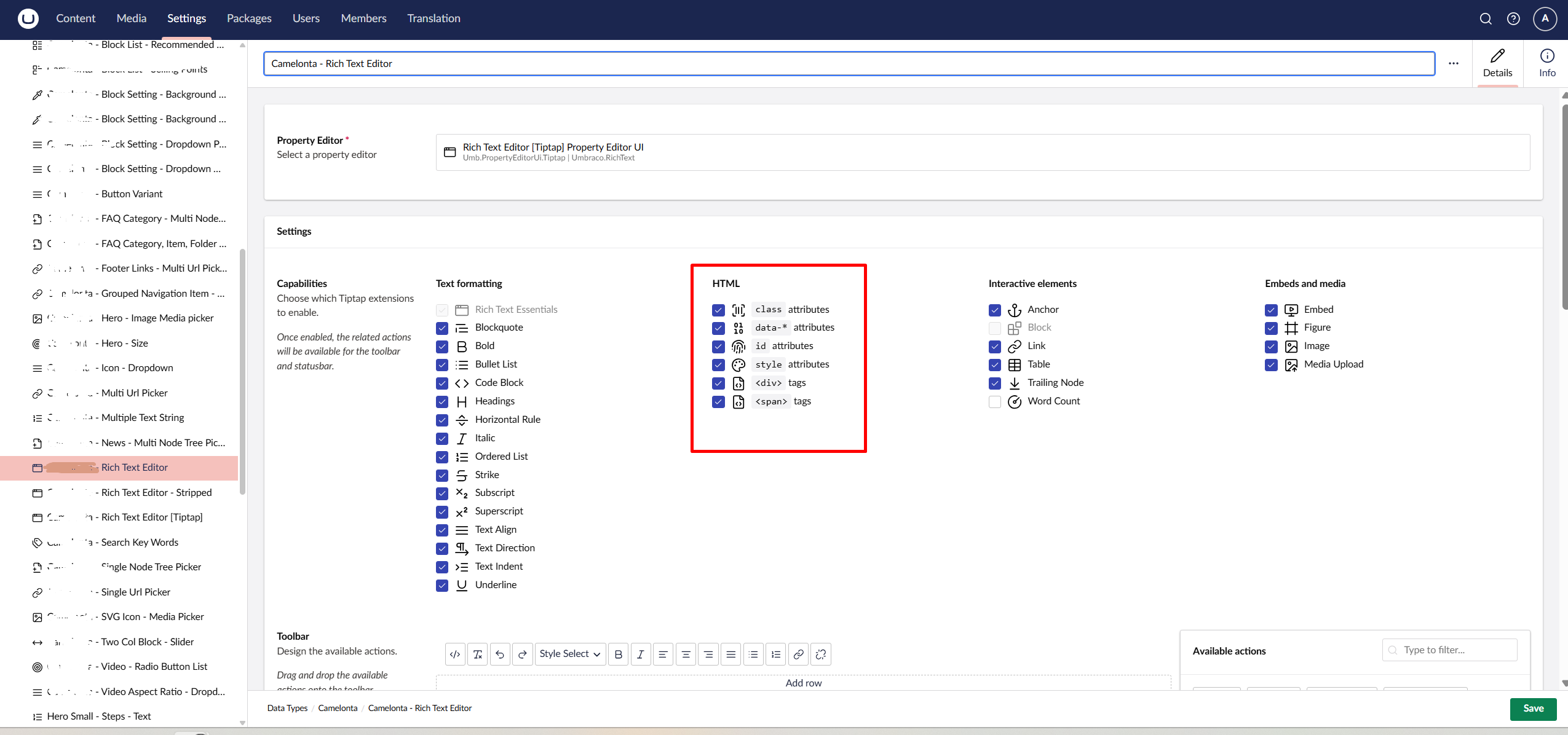
Update: This solved the issue:
We had to check these boxes in settings, which was unchecked by default when deployed.