Custom settings view of a property editor

Hi all,

First post so please bear with me :wink:

I have created a few property editors using the ‘ourHtagEditor’ as a base for them all.

I am now trying to re-create these for Umbraco v15.

I have successfully created a custom view for the Editor (using Typescript and Lit) but I also need to create a custom Settings editor view.

In the old package.manifest you could configure the ‘view’ in the ‘prevalues’ for example.
The tutorials on the document site only give an example of Settings Properties that are automatically created in the back office (as far as I can see).

I have searched everywhere to try and find out how to do this without success.

Can anyone give me so pointers or examples of how to do this or if it is possible.
Any help would be gratefully apricated.

Regards,
Geoff.

I’m not sure what you want to do, do you have examples or screenshots of the older version? What do you mean with settings? The settings for a property editor? that you can set when you create a data type with that property editor?

First, thanks for your help.

Here’s what the editor would see, based on the settings (for the property editor).

This is the editor view of the property editor. The editor can choose the size and alignment of header to be used.

For settings of the property editor I want to have the same look and feel so that you can choose what header sizes and alignments are available to the editor and also set a default for both.

Here’s a mockup:

Regards,
Geoff.

Wow, that a good question. Not sure, but if I look at a property editor for a video player I build, you can see that the settings are a list of properties that also define an editor UI for that setting (in my case a toggle):

export const manifests: Array<UmbExtensionManifest> = [
	{
		type: 'propertyEditorUi',
		alias: "proudnerds.videoplayer.editor",
		name: "Proud Nerds video player property editor",
		js: () => import("./proud-nerds-video-property-editor-ui.element"),
		meta: {
			label: "Video player",
			icon: "icon-play",
			group: "Proud Nerds",
			propertyEditorSchemaAlias: "Umbraco.Plain.Json",
			settings: {
				properties: [
					{
						alias: "customAspectRatioEnabled",
						label: "Custom aspect ratio",
						description: "Allow user to set custom aspect ratio on video's that support it.",
						propertyEditorUiAlias: "Umb.PropertyEditorUi.Toggle"
					}
				]
			}
		}
	}
];

I would suspect you could also use a custom property editor for editing the setting?

2 Likes

This is basically what I have right now for the settings, but only for the default size and default alignment, I use a dropdown for each. Here’s my code from the umbraco-package.json:

"settings": {
  "properties": [
    {
      "alias": "defaultsize",
      "label": "Default Size",
      "description": "Choose the default header size",
      "propertyEditorUiAlias": "Umb.PropertyEditorUi.Dropdown",
      "weight": 200,
      "config": [
        {
          "alias": "items",
          "value": [ "Heading 1", "Heading 2", "Heading 3", "Heading 4", "Heading 5", "Heading 6" ]
        }
      ]
    },
    {
      "alias": "defaultalign",
      "label": "Default Alignment",
      "description": "Choose the default header alignment",
      "propertyEditorUiAlias": "Umb.PropertyEditorUi.Dropdown",
      "weight": 200,
      "config": [
        {
          "alias": "items",
          "value": [ "No alignment", "Align to the left", "Align to the center", "Align to the right" ]
        }
      ]
    }
  ],
  "defaultData": [
    {
      "alias": "items",
      "value": [
        {
          "name": "Heading 1",
          "value": "h1"
        },
        {
          "name": "Heading 2",
          "value": "h2"
        },
        {
          "name": "Heading 3",
          "value": "h3"
        },
        {
          "name": "Heading 4",
          "value": "h4"
        },
        {
          "name": "Heading 5",
          "value": "h5"
        },
        {
          "name": "Heading 6",
          "value": "h6"
        }
      ]
    },
    {
      "alias": "items",
      "value": [
        {
          "name": "No alignment",
          "value": "none"
        },
        {
          "name": "Align to the left",
          "value": "text-start"
        },
        {
          "name": "Align to the center",
          "value": "text-center"
        },
        {
          "name": "Align to the right",
          "value": "text-end"
        }
      ]
    },

    {
      "alias": "defaultsize",
      "value": "h2"
    },
    {
      "alias": "defaultalign",
      "value": "none"
    }


  ]
}

I was looking for a way to add a custom view for the settings so that I could manipulate the look and values.

Regards,
Geoff.

Hi @agency8

That is a very specific request if I understand it correctly.

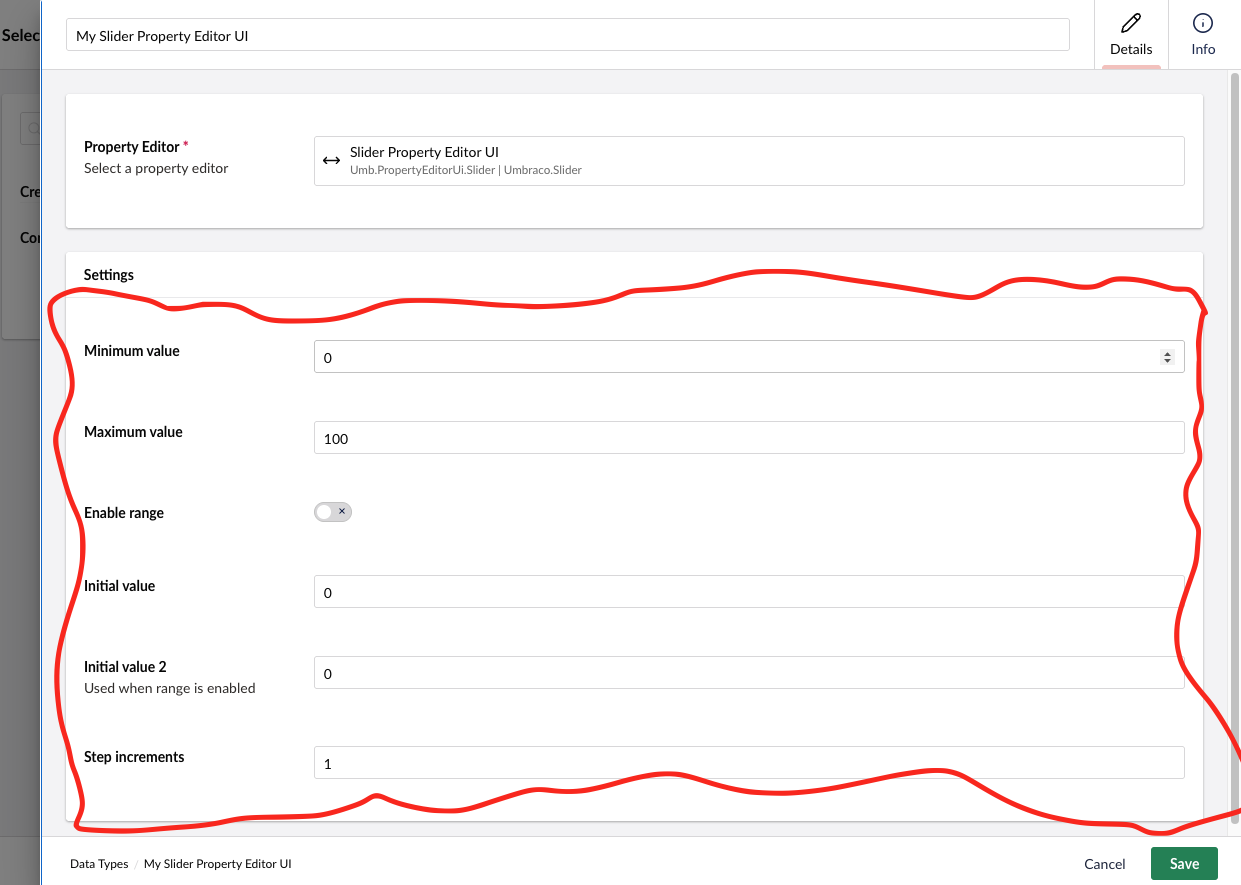
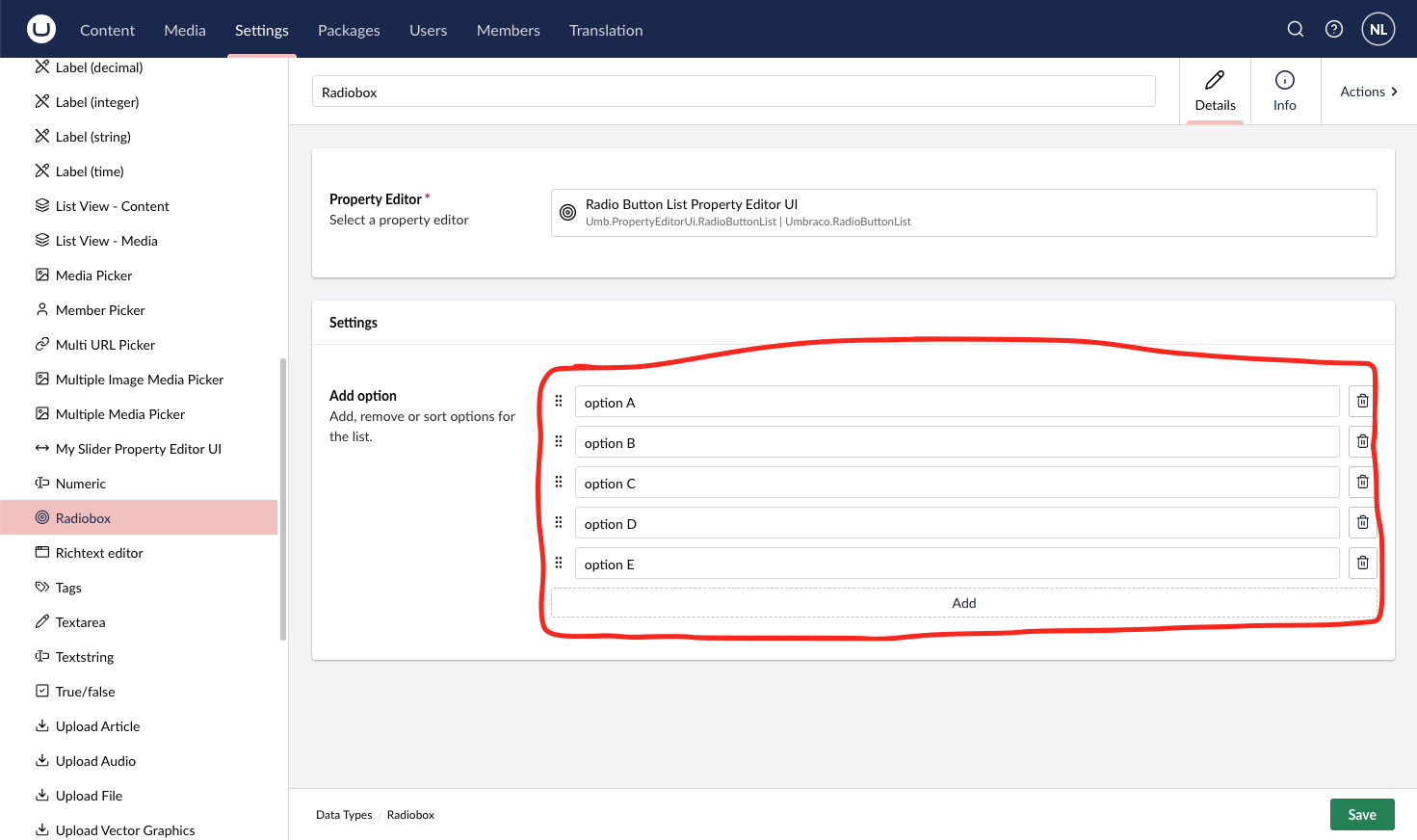
As I read it you are looking to replace this part of the Data-Type Workspace (aka. the UI where you configure your Data-Type)

That is not a specifically supported feature, but you can also use custom Property Editors for the Data-Type Settings.

That leaves you with this area for your own config UI:

Which, to my knowledge, is identical with the opportunities in v.13, unless you hacked it a lot.
The noticeable difference is that in v.13 you had to distinguish between Property Editors and Prevalue Editors.
In v.15 its all Property Editors. Do notice that only Property Editor UIs with a Property Editor Schema defined can be used on Content Types, where all Property Editor UIs, with and without a Schema defined, can be used for Data-Type Settings.

I hope this helps you move forward :slight_smile:

1 Like

Hi Niels,

Thats exactly what I was looking to do.
Looks like I’ll have to dive into how to create a custom ‘propertyEditorUiAlias’ and then use it.

It’s all a bit new to me at the moment and I usually learn by example, but there are no examples at the moment.

Regards,
Geoff.