Custom dashboard not showing on cloud?

Hi, I have a custom dashboard set up for my local environment that works great, but for some reason, it just will not show on Cloud.

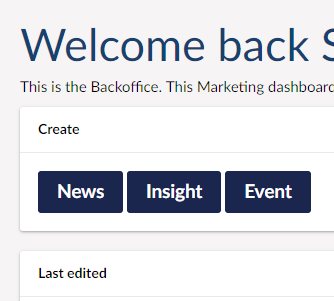
It’s this one for out marketing guys to quickly add news and events

Any idea what I might need to check?

I have hidden the welcome dashboard and URL tracker and that is active on cloud…

Any help is appreciated, happy to add any code needed to diagnose.

Thanks,
Sandy

What Umbraco version is this?
And also how are you adding the dashboard? (Razor class library / directly in the web project / something else?)

Hi thanks for the response,

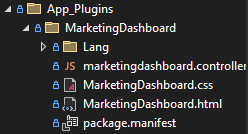
It’s Umbraco 13 (I think I tagged the post) and I register the dashboard through the App_Plugins folder as per the instructions on the umbraco docs.

And I have a simple dashboard controller that removes the default dashboards from view:

public class DashboardComposer : IComposer
{
    public void Compose(IUmbracoBuilder builder)
    {
        builder.Dashboards().Remove<ContentDashboard>();
        builder.Dashboards().Remove<RedirectUrlDashboard>();
    }
}

This works great on local dev but won’t show on my umbraco cloud dev environment.

In the manifest:

{
  "dashboards": [
    {
      "alias": "marketingDashboard",
      "view": "/App_Plugins/MarketingDashboard/MarketingDashboard.html",

Most likely scenario is that it doesn’t copy the files into the build output - you can try to do a dotnet publish locally through the cli and see if the app plugin files are there.

If they are not then you can force it by adding this to your website csproj:
<ItemGroup>
	<Content Include="App_Plugins\MarketingDashboard\**\*.*">
		<ExcludeFromSingleFile>true</ExcludeFromSingleFile>
		<CopyToPublishDirectory>PreserveNewest</CopyToPublishDirectory>
	</Content>
</ItemGroup>
2 Likes

Amazing! I had it in a different way that wasn’t quite working! Your way is super slick. Thanks for the help!

This topic was automatically closed 30 days after the last reply. New replies are no longer allowed.