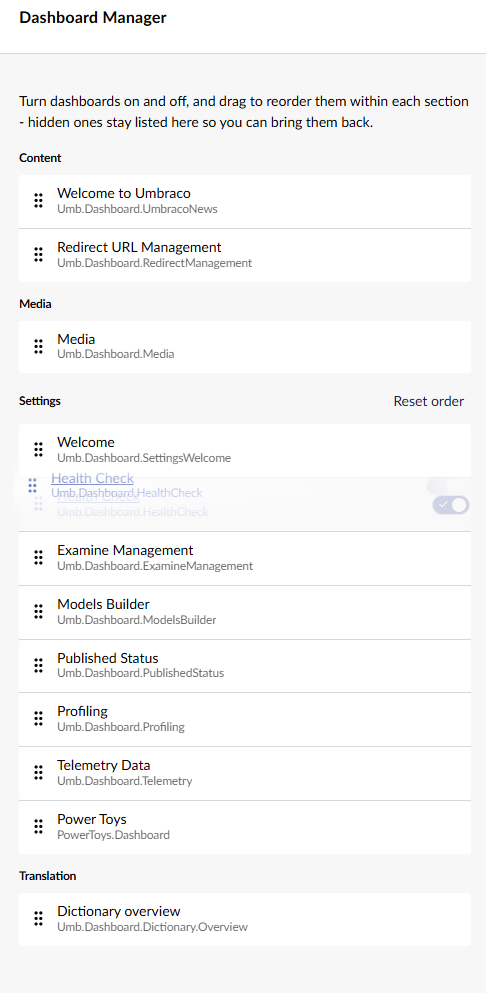
I know that a package developer can set a “weight” for a dashboard, but I’m wondering if there is a good way for me as user to control the order from many different extensions?
E.g. if I don’t agree with the weights that different extension developer gave their dashboard extension?
Agree completely—the road to progress with Umbraco of late means everything isn’t quite as plug-and-play or straightforward as it used to be. At least AI is here to help pick up the slack to restore parity!
Appreciate you sharing your findings.
The simple one would be via the entry point(similar as in Mike comment, assuming they are registered at the time)
Then grab the manifest you want to alter, unregister it, and register a new altered version, same Alias, so same extension, Just one value is changed.
const coreManifest = extensionRegistry.getByAlias(REDIRECT_MANAGEMENT_DASHBOARD_ALIAS);

    if (!coreManifest) return;

const newManifest = {
    ...coreManifest,
weight: 1234
}

extensionRegistry.unregister(coreManifest.alias);
// Maybe you need to wait one JS Cycle here; not sure, but try without for a start.
extensionRegistry.register(newManifest);
The other option, maybe a prettier version, would be to make yours a new one that overwrites the core one:
I hope that helps — the reason why it is not a supported feature is that we haven’t seen the need for such so far. And what are the potential troubles of having other manipulating manifests.
But we support appending conditions as mike mentioned.
@markusjoha may I ask if you’re looking to control this on a project level?
Cause I think it might not be ideal if Users could manipulate the weights — but if it’s on a project level, then I surely can see the benefit of it.
I could dream of it being a User Group feature, so you can control which Dashboards are shown for a User Group and, as part of it, sort them. (By default, all dashboards would be checked as permitted)
Or maybe it just starts a general ‘overwrite manifest weights’ Extension-Registry feature…
As a user there is probably a use case for which dashboards I use the most so that user would love to be able to manipulate the weights (without having to ask an admin)?
To be honest, I did not really think ahead about this, short term I was looking for a way to do this on the project level (from code would be fine).
So to solve my initial problem a accesible “override weight”-thing would be sufficient.
But your really hitting on something, we had another project where I needed to hide a dashboard for a certain User Group (or only show for group X or Y) - so having the ability to configure that would be a dream

 )
)