Hello
I am looking at using Contentment to pick custom SVG icons, these are not icons registered in the backoffice thus using the Icon Picker datatype as part of Contentment doesn’t satisfy my needs.
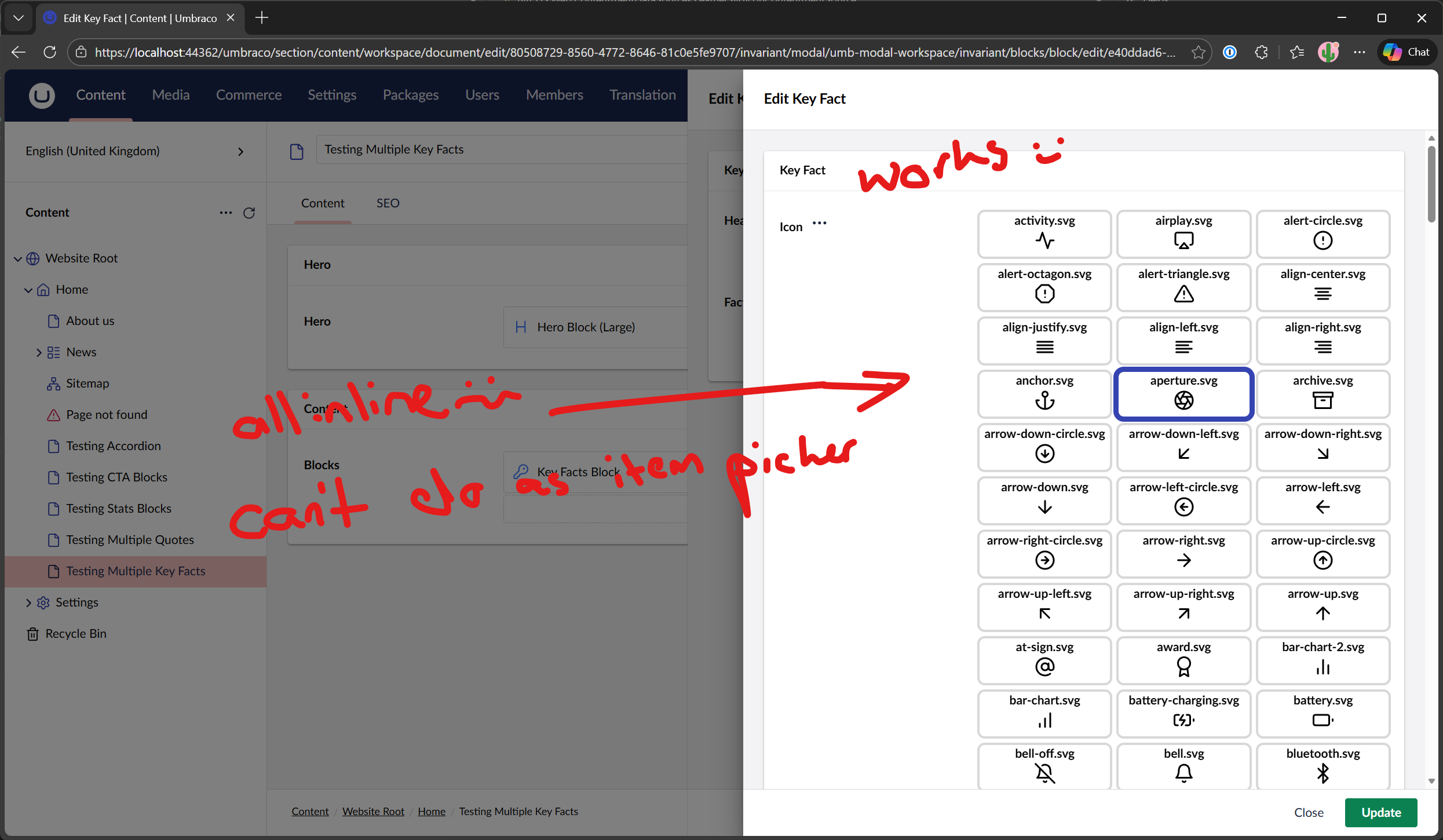
It works but having all icons inline to scroll past to pick one is not ideal
Can I somehow use a custom template with the Item Picker as the List Editor?
I thought about a custom ContentmentDataSource so that icon property of the JSON object for each item is the path to the file, however all of the items if not using a template uses umbicon which in turn usesUUI-icon and does not work with a path to an SVG just a name of an icon in the Umbraco icon registry
Heya Nurhak,
Yes I prefer the item picker approach so that a dialog/modal opens to then pick an item, which has the added benefit of searching too.
Some source code diving
After a bit of digging around in the source code of Contentment I found that Lee has a way to display an image when cards are being used, this only actively used if you use Umbraco Content Nodes and set an image alias property.
You can see here that the card will switch from using the icon property or image property
Cards can use an icon or image
DataListItem - Setting ‘Image’ property
You can see its possible to add additional properties outside of the usual, Name, Description, Icon and Value.
Slightly improved approach from templated list
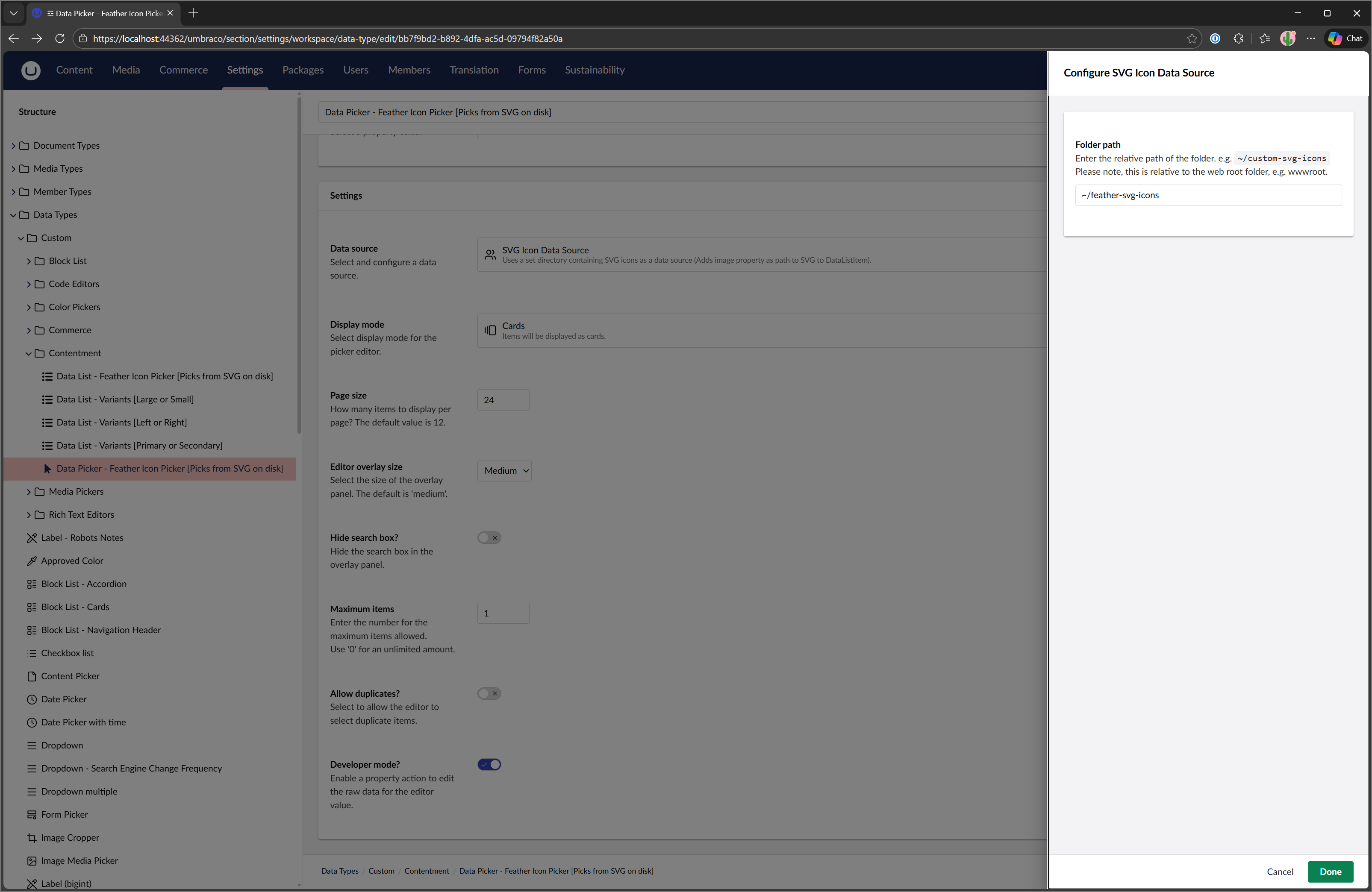
So I have written a custom data source for Contentment that works in the same way as the File one but also adds the Image property to the JSON so that when using it with the Contentment Data Picker in conjunction as display as Cards will now show a nice list of cards with the SVGs set that are searchable/filterable that page.
Custom Picker Code
using Umbraco.Cms.Core.IO;
using Umbraco.Cms.Core.PropertyEditors;
using Umbraco.Community.Contentment.DataEditors;
using IHostingEnvironment = Umbraco.Cms.Core.Hosting.IHostingEnvironment;
using IIOHelper = Umbraco.Cms.Core.IO.IIOHelper;

namespace Project.Web.ContentmentDataSources
{
    /// <summary>
    /// Based on PhysicalFileSystemDataSource
    /// https://github.com/leekelleher/umbraco-contentment/blob/ae1112113edd17184f45572ebb0ce13c50c6fefa/src/Umbraco.Community.Contentment/DataEditors/DataList/DataSources/PhysicalFileSystemDataSource.cs
    /// </summary>
    public class SvgIconContentmentSource : DataListToDataPickerSourceBridge, IContentmentDataSource
    {
        private readonly IIOHelper _ioHelper;
        private readonly IHostingEnvironment _hostingEnvironment;
        private readonly IWebHostEnvironment _webHostEnvironment;
        private readonly ILogger<PhysicalFileSystem> _logger;

        public SvgIconContentmentSource(IIOHelper ioHelper,
            IHostingEnvironment hostingEnvironment,
            IWebHostEnvironment webHostEnvironment,
            ILogger<PhysicalFileSystem> logger)
        {
            _ioHelper = ioHelper;
            _hostingEnvironment = hostingEnvironment;
            _webHostEnvironment = webHostEnvironment;
            _logger = logger;
            _hostingEnvironment = hostingEnvironment;
        }

        public override string Name => "SVG Icon Data Source";
        public override string Description => "Uses a set directory containing SVG icons as a data source (Adds image property as path to SVG to DataListItem).";
        public override string Icon => "icon-users";
        public override string Group => "Data";
        public override OverlaySize OverlaySize => OverlaySize.Small;
        public override IEnumerable<ContentmentConfigurationField> Fields => new[]
        {
            new ContentmentConfigurationField
            {
                Key = "path",
                Name = "Folder path",
                Description = "Enter the relative path of the folder. e.g. <code>~/custom-svg-icons</code><br>Please note, this is relative to the web root folder, e.g. wwwroot.",
                PropertyEditorUiAlias = "Umb.PropertyEditorUi.TextBox",
            }
        };
        public override Dictionary<string, object> DefaultValues => new()
        {
            { "path", "~/custom-svg-icons" },
        };
        public override IEnumerable<DataListItem> GetItems(Dictionary<string, object> config)
        {
            var path = config.GetValueAsString("path") ?? string.Empty;
            var virtualRoot = string.IsNullOrWhiteSpace(path) == false
                ? path.EnsureEndsWith("/")
                : "~/";

            var fs = new PhysicalFileSystem(_ioHelper, _hostingEnvironment, _logger, _webHostEnvironment.MapPathWebRoot(virtualRoot), _hostingEnvironment.ToAbsolute(virtualRoot));
            IEnumerable<string> files = fs.GetFiles(".", "*.svg");
            return files.Select(x => new DataListItem
            {
                Name = x,
                Value = virtualRoot + x,
                Description = virtualRoot + x,
                Icon = "document",
                Properties = new Dictionary<string, object>
                {
                    // If we specify an extra property called 'image' then it will use that value as a path to an img src attr
                    // https://github.com/leekelleher/umbraco-contentment/blob/ae1112113edd17184f45572ebb0ce13c50c6fefa/src/Umbraco.Community.Contentment.Client/src/extensions/display-mode/cards/cards.element.ts#L81-L86
                    { "image", virtualRoot.ReplaceFirst("~/", "/") + x },
                },
            });
        }
    }
}
Screenshots
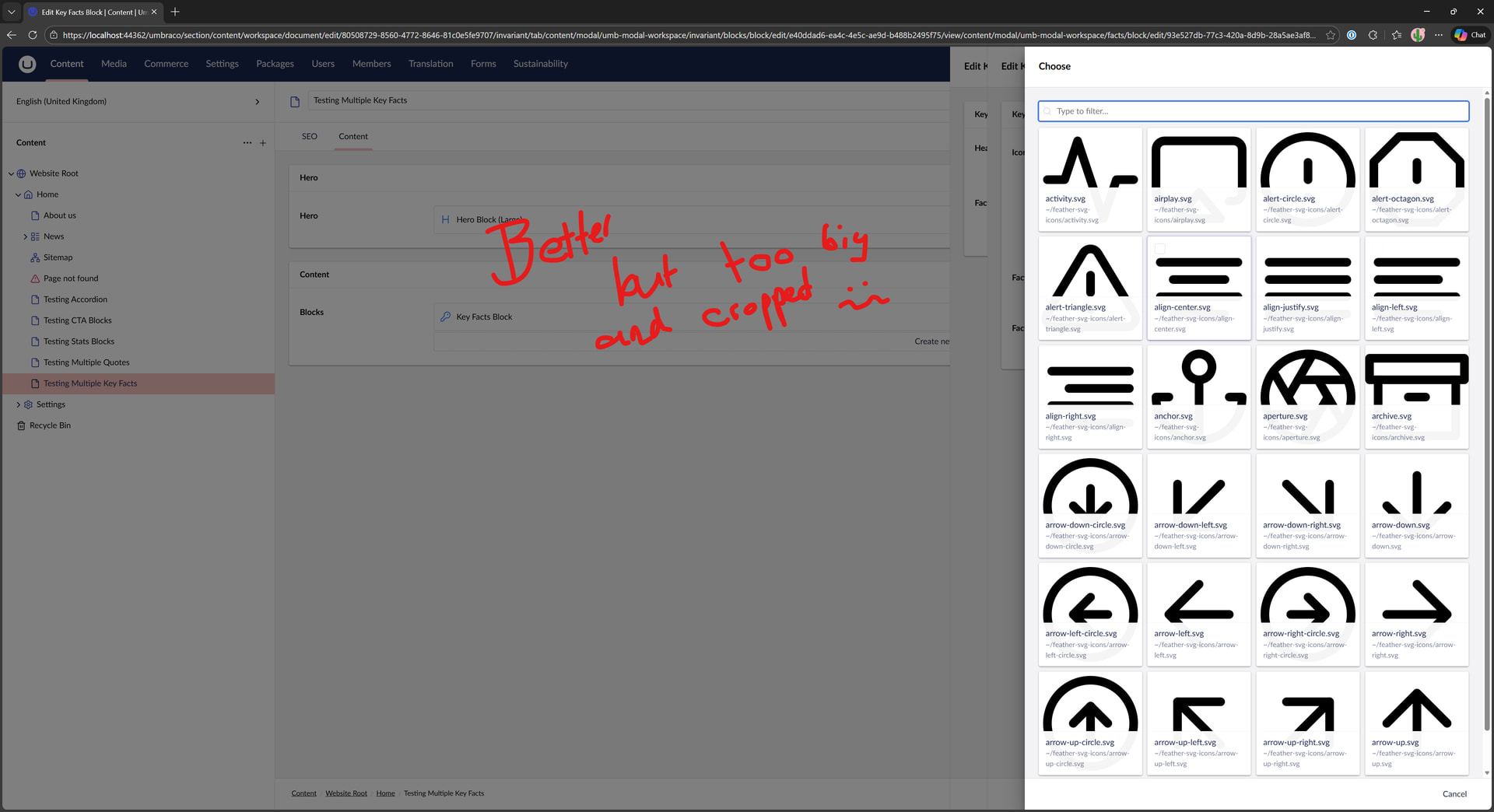
I am not 100% happy, yes this is improved UX in terms of the icons only appearing to be selected in a separate dialog/modal that page and can be searched but the problem is that the SVG icons are too big and get cropped.
I’ve not tried this with the new back-office, and it may not work now that everything is in web components, but in the past I would have played around in the browser inspector to find a CSS override that would adjust the icon to the size I wanted. Possibly setting left right, and bottom margin/padding on the svg image element in this case, and once I’d found the CSS that works, I would create a simple package manifest and only inject a CSS file.
I think that all the shadow DOM stuff might be a problem in this instance, so not sure if it would be possible, but it might be worth a 10 minute explore in the browser. It looks like you’re really close!