Hi All,
I’m working on an Umbraco 16 (16.3.3) solution. I’m trying to create a custom collection list for a one of my doc types. When setting up the list I’m trying to add a custom field as a column within the “Columns Displayed“ area
My composition doc type is an Element type as I use it for both blocks and standard doc types.

When I “Choose” to pick a custom column in the document type list, the Element document type is greyed out and not accessible.
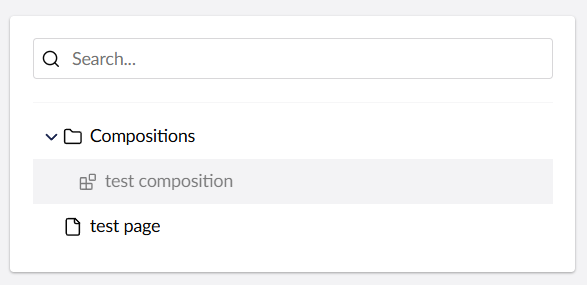
This means I can’t use any of the fields contained within it as custom columns. If I untick the “Is an Element Type“ box for this composition I can then pick these fields but I can no longer share this doc type with block lists.
Is there a reason that element types can’t be picked for for custom columns?