I’m investigating an issue with a recently migrated v17 database, and looking for advice on cleaning up historic content versions safely.
The project has a number of properties that are now configured as Block List editors, but historic versions still contain legacy Grid/Doc Tyoe Grid Editor JSON, such as:
These were converted in the v8 - v13 migration and havn’t been causing any issues, but due to the way JSON is parsed in v17, they’ve started throwing exceptions for processes like exports:
System.Text.Json.JsonException: The converter 'System.Text.Json.Serialization.Converters.CastingConverter`1[Umbraco.Cms.Core.Models.Blocks.BlockListValue]' read too much or not enough. Path: $ | LineNumber: 0 | BytePositionInLine: 183.
Looking at the db, so far I’ve found:
~600 content versions containing legacy Grid JSON
All have current = 0
All have preventCleanup = 0
Every affected node appears to have exactly 2 versions
The current version contains valid Block List JSON
The historic version contains the old Grid/DTGE representation
My questions are:
Has anyone come across something similar?
What would be the best approach to remove these manually? (I’ve got the VersionId of all the affected versions)
Would deleting them directly from the db be the way to go? or is this going to cause havoc with rollback/history/content integrity?
Any reason why content version cleanup might not work? (Content cleanup is turned on, and all these versions are older than “Keep all versions newer than days”)
The error I shared previously was thrown during an Environment Export via Umbraco Deploy, though admittedly making an assumption that legacy grid JSON was causing the error as its not logged explicitly.
What pointed towards that was a lot of warnings logged during v13 - v17 migration, which were all due to legacy grid in Block List serialization errors:
Warning

@MessageTemplate
Could not deserialize the provided property value into a block editor value: {PropertyValue}. Error: {ErrorMessage}.

PropertyValue:
{"name":"Full Width","sections":[{"grid":"12","rows":[{"name":"Two Column","id":"6d5e0f37-7eb2-4385-94e3-4529c85cdfe1","areas":[{"grid":"12","controls":[],"styles":null,"config":null}],"styles":null,"config":null}]}]}

ErrorMessage:
The converter 'System.Text.Json.Serialization.Converters.CastingConverter`1[Umbraco.Cms.Core.Models.Blocks.BlockListValue]' read too much or not enough. Path: $ | LineNumber: 0 | BytePositionInLine: 183.

SourceContext:
Umbraco.Cms.Core.PropertyEditors.BlockListPropertyEditorBase.BlockListEditorPropertyValueEditor
Still investigating! But just trying to delete legacy version records as a first step to rule it out
I could be very wrong, but I experienced a similar issue with deploy recently however tackling it from the UDA perspective, we found that it was actually content just in the “Draft” part of the UDA’s JSON that typically held the broken value hence why deploy was throwing us issues at the import step.
Is the error happening when you are attempting to Import the UDAs, or is it occurring earlier at the export step?
Ignore that, If I could actually read I see you mentioned it said at the export step.
Yeah I’ve encountered this.. even with document cleanup Umbraco retains 2 versions the published and saved version and I think the migrators (uSync as well) only ever migrate the version flagged as latest.
As it’s duff data now you could write a sql query to simply set the older versions to the new version.
(I’ve used “Two Column” as your UID but be careful if not, and choose something that will only get your legacy grid content, you’ll also need to find your matching propertytypeid(s) for those now blockgrid/list
;WITH LatestPerNode AS (
    SELECT
        cv.nodeId,
        pd.textValue,
        cv.versionDate,
        ROW_NUMBER() OVER (
            PARTITION BY cv.nodeId
            ORDER BY cv.versionDate DESC
        ) AS rn
    FROM umbracoPropertyData pd
    JOIN umbracoContentVersion cv
        ON pd.versionId = cv.id
    WHERE pd.propertytypeid = 1206
      AND pd.textValue LIKE '{"layout":%'
)
UPDATE oldpd
SET oldpd.textValue = latest.textValue
FROM umbracoPropertyData oldpd
JOIN umbracoContentVersion oldcv
    ON oldpd.versionId = oldcv.id
JOIN LatestPerNode latest
    ON latest.nodeId = oldcv.nodeId
   AND latest.rn = 1
WHERE oldpd.propertytypeid = 1206
  AND oldpd.textValue LIKE '%Two Column%'
  AND oldcv.versionDate < latest.versionDate;
or you could just take the view to just empty the old versions.
UPDATE umbracoPropertyData SET textValue = NULL WHERE textValue LIKE '%Two Column%';
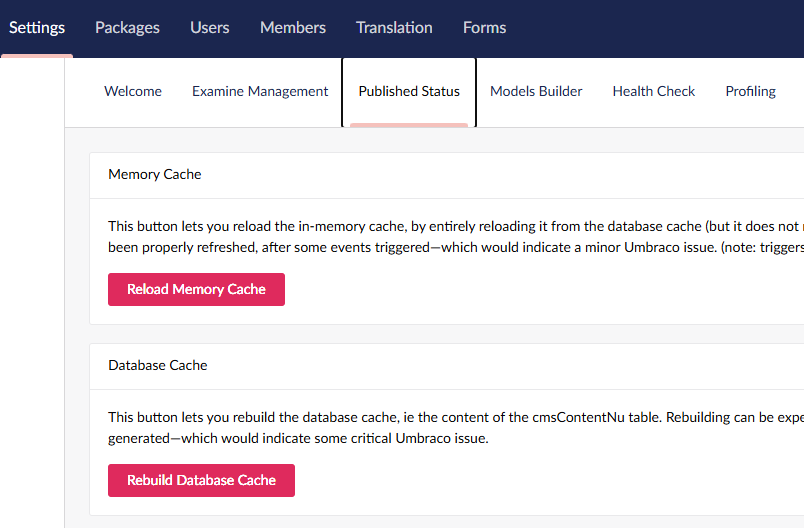
Don’t forget to rebuild the hybrid cache.. aka nuCache just incase there were published remnants..