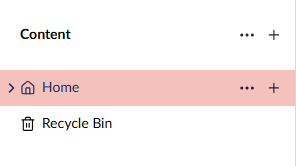
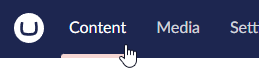
I’m currently completing my Extending the Backoffice course, and in it we have made a user table which shows when all users last logged on, edited something etc. However when I go to my home page in the content tree. I can’t go back to the content dashboard meaning I can’t view my custom table. The only workaround for this is to remove everything after /umbraco in the URL. This is the exact same for other sections, media, settings etc. As soon as you click on a document type, or anything else, you cant go back to the dashboard at the top.
I’ve also tried this on my Umbraco 17 test site, the beta and rc-1 versions, but both are the same.
I’m not great at explaining things so I’ve attached an image of what I mean. In the image, when I’m on the home page, I can’t navigate to the content dashboard.
I understand that the backoffice framework has changed, which may change what we are able to do in the backoffice etc. However I can’t see too much point in having that dashboard with things like the custom user table if I can’t get back onto the dashboard without changing the URL.