I’ve upgraded a large multi-project Umbraco solution from v13.10.1 to v16.0.
Everything builds and runs without runtime errors, but when accessing /umbraco, the backoffice is completely blank.
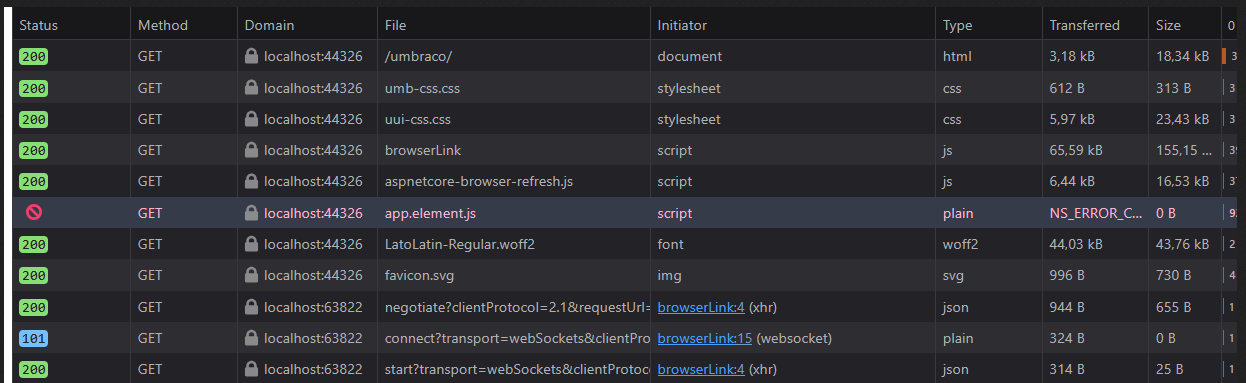
Screenshots attached:
Network tab – shows app.element.mjs being served as MIME type text/plain.
Console tab – shows Loading module from ... was blocked because of a disallowed MIME type ("text/plain").
Usually when you have a disallowed mime type, it is because it’s missing in the server configuration. IIS for instance will only serve mime types it knows. In the past, I would usually have to add woff3 to the mime types, otherwise it wouldn’t return the file.
In case it could be of use to anyone, the error was caused because I hadn’t been thorough enough in cleaning om the old backoffice files. So I had a .Core project that still contained traces of the old backoffice and this seemed to cause the interruption. #RookieMistake