I am deploying our local Umbraco 16 instance to an Azure Web App that utilizes deployment slots. The app has 1 ‘local’ login and the rest is handled by SSO from our tenant.
Both login approaches work fine on localhost, but when it’s deployed to Azure, the back office fails at login.
When I try to ‘Login with Umbraco’ from https://our-website.com/umbraco the login page redirects to https://….azurewebsites.net/umbraco and then following a login I get a 403 error but that’s expected given our setup. I can see from the logs that the log was in fact successful.
When I try to the ‘Login via Azure’ the application correctly redirects to Azure and the user logs in and is then redirected back to Umbraco at https://our-site.com/umbraco-microsoft-signin/ - Which is the correct redirect URL. But the site user isn’t logged in and replacing the address with /umbraco just lands me back at the login page.
Looking in the logs, I can see an AuthenticationFailureException is being thrown which explains the fact I can’t login. However, the misconfiguration is: Microsoft.Identity.Client.MsalServiceException: A configuration issue is preventing authentication - check the error message from the server for details. You can modify the configuration in the application registration portal. See Microsoft Entra authentication & authorization error codes - Microsoft identity platform | Microsoft Learn for details. Original exception: AADSTS500112: The reply address ‘https://…azurewebsites.net/umbraco-microsoft-signin/’ does not match the reply address ‘https://our-website/umbraco-microsoft-signin/’ provided when requesting Authorization code.
I’ve looked in the database and all of the references to the azurewebsites.net address have been replaced with the correct URL. So I’m not sure where the hostname URL is being picked up from?
I’ve followed the documentation for deploying to Azure web apps: Running Umbraco On Azure Web Apps | CMS 16.latest | Umbraco Documentation as well as the implemented the fix suggested here Navigating to umbraco throws "invalid request" error - #3 by sebastiaan As this was happening initially.
My environment variables are setup as follows:
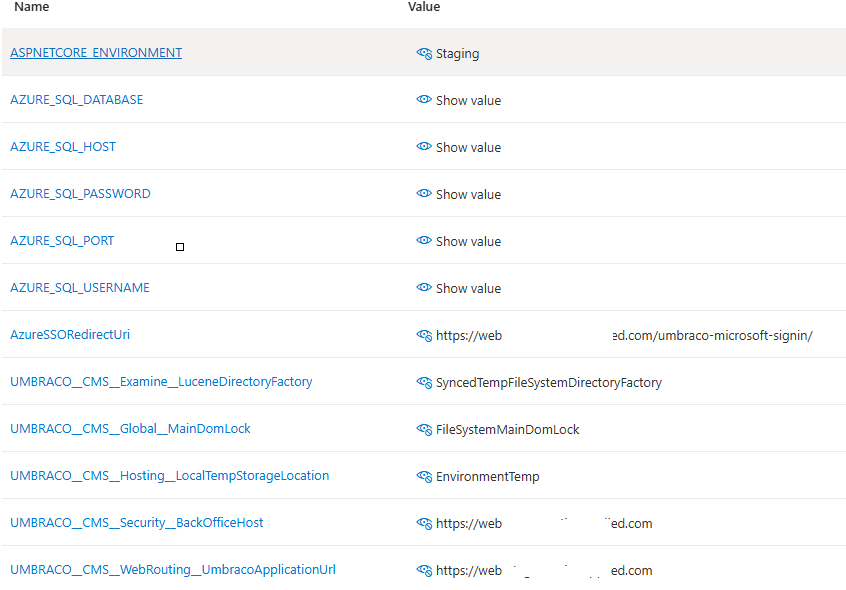
It looks as thought the transformation is working with the environment variables as the correct connectionstring is being picked up.
I have also added the following to try and force the uri the request comes from:
var redirectUri = env == “Development” ? “https://localhost:44342/umbraco-microsoft-signin/” : Environment.GetEnvironmentVariable(“AzureSSORedirectUri”);

...

options.Events = new OpenIdConnectEvents{


 OnRedirectToIdentityProvider = async context =>
         {
             context.ProtocolMessage.RedirectUri = redirectUri;
              await System.Threading.Tasks.Task.CompletedTask;
         },...
It looks as though everything is working except that the auth token can’t be validated as it thinks its coming from a different address.
Any help greatly appreciated.