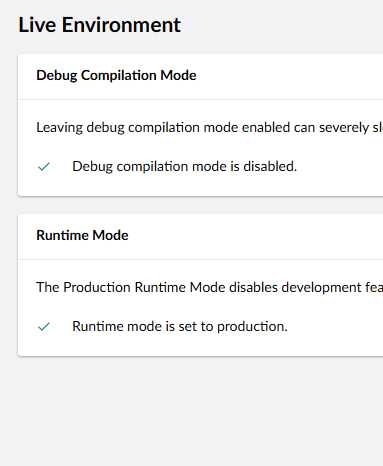
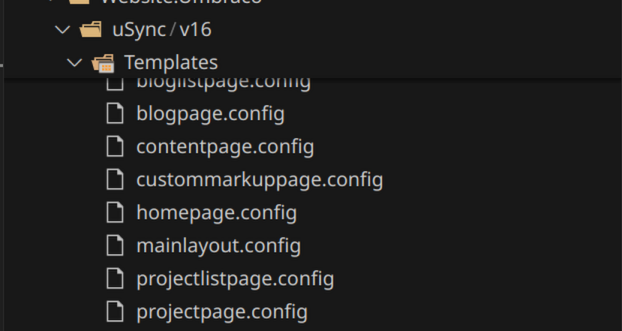
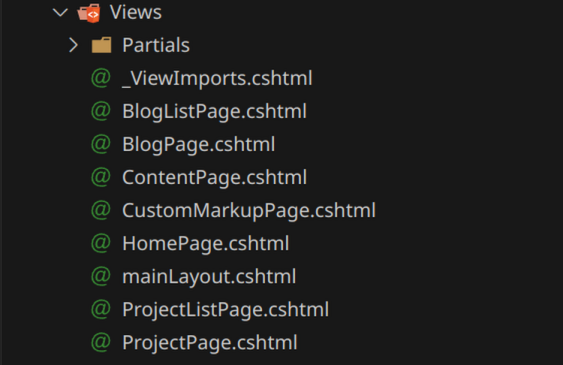
I’m hacking away trying to learn how to spin up Umbraco on Kubernetes before the big V17 launch.
For syncing doctypes etc. I’m using uSync, but I have some issues when running the container in low privileged mode.
When uSync imports my templates, the actual physical file is apparently meant to be create in a “Views” folder.
This seems a bit weird to me since, I would assume that templates are pre-compiled and included in the binary
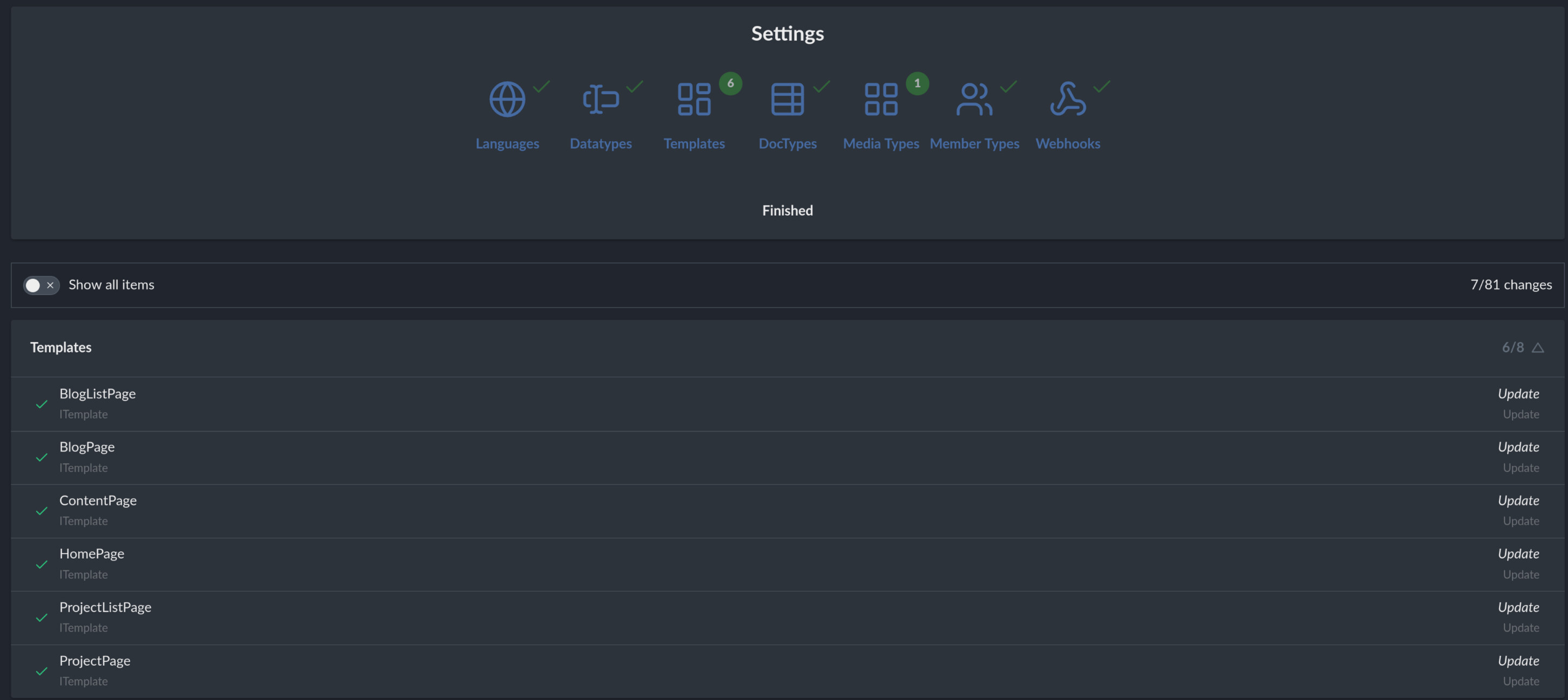
The pages can render just fine and uSync reports the import as completed:
Yeah templates are mainly on disk or compiled, but there is still a small entry for them in the DB which gives them an ID and path and this is then used when they are assigned to content types etc, so that ‘s what uSync is doing. when it imports them.
but you can tell usync that the templates are compiled and it won’t attempt to do anything on the disk.
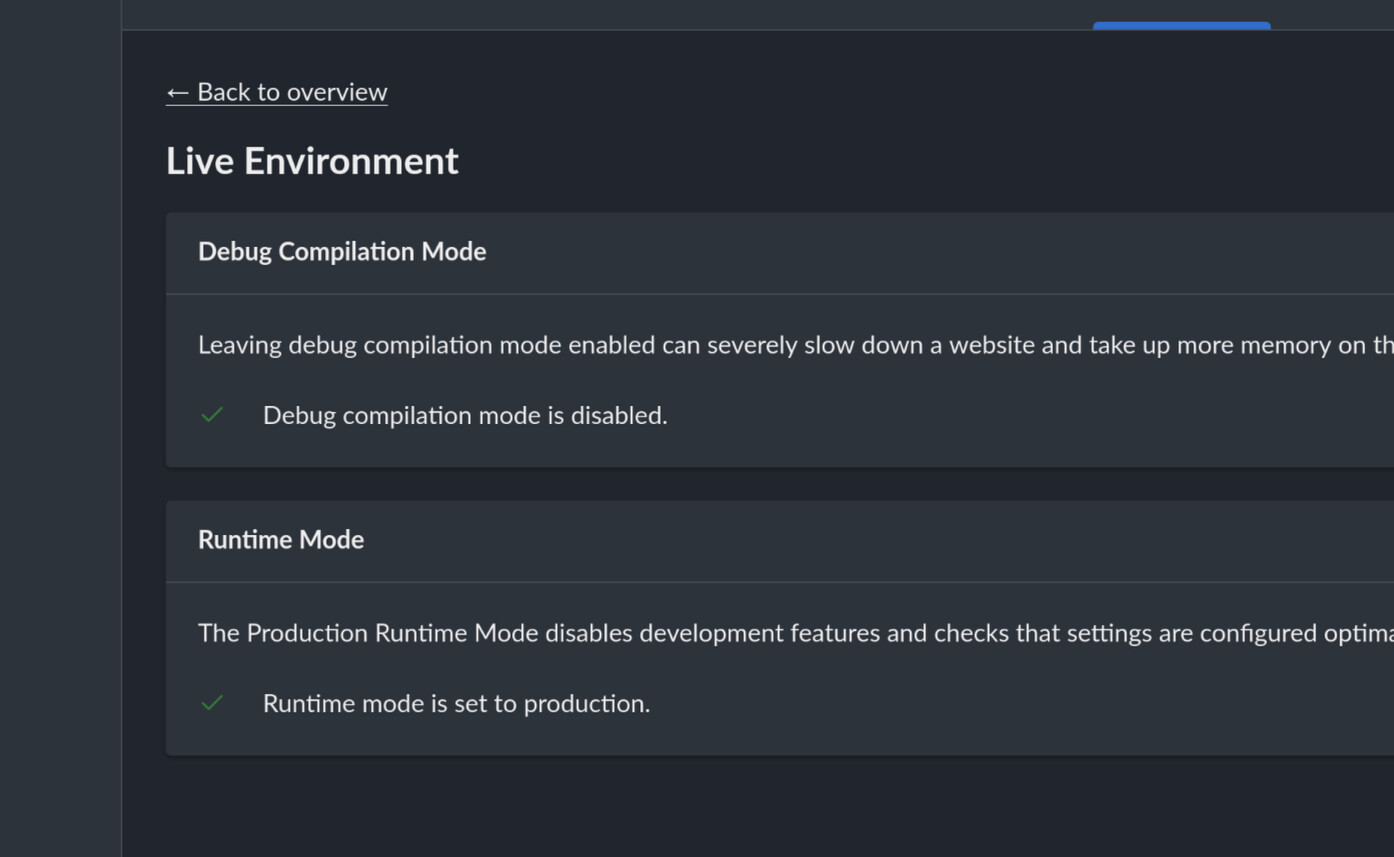
if you run the site in ‘Production’ mode (umbraco docs) then uSync will assume the templates are compiled and ignore the syncing of the content.
or
You can tell uSync explicitly that the templates are compiled. and it won’t do anything. the following in the appsettings.json file should do it.
Update:
Just to add, i haven’t tested this in a while but i think Umbraco might still need write access to the wwwroot folder when you create a template because it will always create a file when the API creates a template. there is a bit of code inside uSync to then delete this file when in razor view mode, because it will “overwrite” what comes from the DLLs
this might not still be what happens in the API in v16 i haven’t checked, but uSync sees the file when it shouldn’t be there it removes it as part of the import.
When uSync calls the CreateTemplate logic inside umbraco - Umbraco attempts to create a .cshtml file on disk, (irrespective of anything existing in a view or being compiled). So this i think means it needs write access then actually ‘create’ the template and put the bits in the DB. uSync then (if it thinks you are running with razor views) will delete this file, so you won’t see it on disk, but there is a short period during the sync when it’s there.
Hm, okay, maybe I’m doing something wrong then.
When hosting in traditional Docker I can see the files are created, but still linger after import.
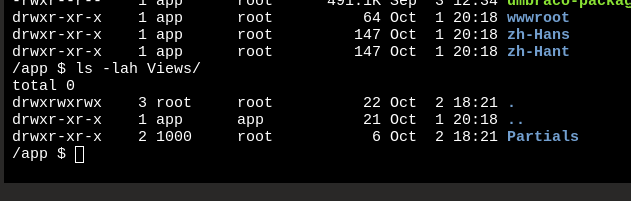
But my k8s pod just has the empty folder.
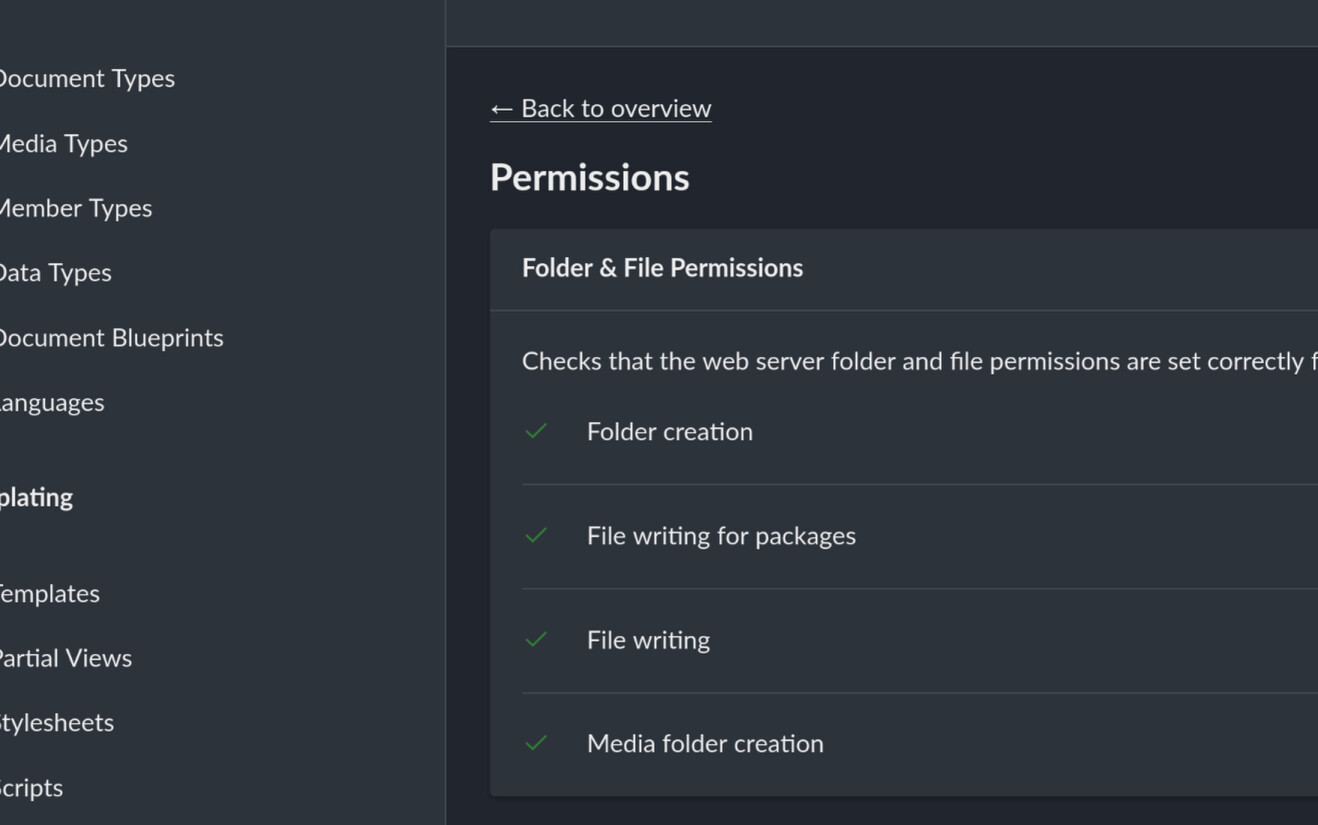
Umbraco does report as having write access
When the template is created by umbraco we stamp a usync html comment in it so we know it’s safe to then delete later in the import. except we’re not doing that bit right.
will fix this, and I will push a release (tomorrow, as we were just testing the next one anyway).
PS @JasonElkin mentioned on the umbraco community hour that, even with production mode with compiled razor views if you directly update a view on the server asp.net core has a file watcher that will mean view changes are observed…
At least I think that was the jist..
Is this something new?
There are no view files in my container image untill uSync creates them.
I only remember the files being present on disk in the old .NET Framework days
Yeah, if they’re not in the publish directory then you shouldn’t see views deployed. In an Umbraco project it’s normal to have have CopyRazorGenerateFilesToPublishDirectory enabled in the csproj - presumably you don’t?
The observation about compiled razor views is just that if you have views in that directory they will override any that you have precompiled in DLLs and .NET will still watch the views directory for changes - this is because Umbraco includes the runtime compilation package for Razor files, which is basically always on.
What an interesting behavior!
So if I understand you correctly, even if my DLL has the compiled view inside, if I just make a new .cshtml file in my Views folder with the same name, it would take priority over the pre-compiled views
I do have that setting and it is set to true:
<Project Sdk="Microsoft.NET.Sdk.Web">
    <PropertyGroup>
        <TargetFramework>net9.0</TargetFramework>
        <Nullable>enable</Nullable>
        <ImplicitUsings>enable</ImplicitUsings>
    </PropertyGroup>

    <ItemGroup>
        <PackageReference Include="Umbraco.Cms"/>
        <PackageReference Include="uSync"/>
        <PackageReference Include="MiniProfiler.AspNetCore"/>
        <PackageReference Include="MiniProfiler.AspNetCore.Mvc"/>
    </ItemGroup>

    <ItemGroup>
        <!-- Opt-in to app-local ICU to ensure consistent globalization APIs across different platforms -->
        <PackageReference Include="Microsoft.ICU.ICU4C.Runtime"/>

<!--        Temporarily disabled-->
<!--        <RuntimeHostConfigurationOption-->
<!--                Include="System.Globalization.AppLocalIcu"-->
<!--                Value="72.1.0.3"-->
<!--                Condition="$(RuntimeIdentifier.StartsWith('linux')) or $(RuntimeIdentifier.StartsWith('win')) or ('$(RuntimeIdentifier)' == '' and !$([MSBuild]::IsOSPlatform('osx')))"/>-->
    </ItemGroup>

    <ItemGroup>
        <ProjectReference Include="..\Common.Umbraco\Common.Umbraco.csproj"/>
    </ItemGroup>

    <ItemGroup>
        <Folder Include="umbraco\"/>
    </ItemGroup>

    <PropertyGroup>
        <!-- Razor files are needed for the backoffice to work correctly -->
        <CopyRazorGenerateFilesToPublishDirectory>true</CopyRazorGenerateFilesToPublishDirectory>
    </PropertyGroup>

    <PropertyGroup Condition="'$(Configuration)' == 'Debug'">
        <!-- Remove RazorCompileOnBuild and RazorCompileOnPublish when not using ModelsMode InMemoryAuto -->
        <RazorCompileOnBuild>false</RazorCompileOnBuild>
        <RazorCompileOnPublish>false</RazorCompileOnPublish>
    </PropertyGroup>
</Project>
Also, maybe we shouldn’t derail this original topic too much so poor Kevin gets spammed. @JasonElkin if you want to discuss the intricacies of View files and Umbraco, then maybe we should move it to a separate topic
just checking this is what others see in v16.2 (and i will chalk it down as a bug?) - i want to understand the behavior before claiming we’ve resolved anything
and the views folder will be empty when you publish.
if you have a uSync folder with it’s template folder then that is expected. and when you import via uSync it will create the Templates via Umbraco which does the DB stuff, and no files are created on disk
I think in v16 - Umbraco is not creating the files, so while uSync has a load of code to detect and delete them when in production that code is never hit because the files are not there.
The view in the Umbraco backoffice is confusing and I think broken, in that it shows you these ‘empty’ templates when you look and if you try and save anything you get an error,
but
the templates are there in the code ,and linked to the content correctly (via the db stuff). and the front end should work fine.
I completely agree that something seems wrong with the way templates are working in production mode, in the backoffice.
Maybe there’s an issue for this on GitHub or maybe one should be created so we can get a clear answer from HQ on this.
About this statement:
I can confirm this same thing.
As I wrote initially that rendering of the actual pages works as expected, but every time I run a report in uSync all templates are marked as changed.
Do you expect the change you implemented to file deletion tracking to fix these false-positives on the report?
I think it will reduce some of it, but if you’re uSync templates folder contains more templates or commands to remove templates than compiled templates exist on the site, i think it might still continue to give you false positives.
not 100% sure i want to just remove these because we need to tell people there is stuff in config not on the site, but we might try and make it explicit that is what is happening on the import.
Ideally the views folder on production should be empty. because the views will be compiled (and actually exist in the site’s .dll file.)
but if we imagine they are there, yes they should match - a ‘clean’ export will do that for you.
(so when you delete anything, uSync puts a ‘empty’ file in the uSync/item folder so if you where to import that onto another site, it would attempt the delete for you, it does this for renames too. - so sometimes you have extra files. If you are happy the sites are in sync / its a new site, you can just do a clean export which removes these ‘empty’ files as if it’s all fresh)
Okay.
I realize I might have made a mistake by using the term “Template” and uSync in same sentence.
When I was initially talking about the option to avoid creating template files, what I actually meant, was the razor pages(.cshtml) inside the Views folder on production.
I called the pages “Templates” as they were called that in the backoffice, but looking at my screenshots I now see it could be a real cause of confusion.
So to be clear, I don’t mind the uSync files(.config), like homepage.config to be present in prod, that I fully understand is a core requirement for uSync.
My initial concern was that uSync, seemingly, added my razor pages(.cshtml) to a Views folder in production when doing a uSync import.
As I understand from previous messages this is expected, and should be cleaned after import, but will require the Views folder to be present in production, with rw access, but it doesn’t have to include any files.
Yeah, uSync doesn’t do this bit - the razor pages are either being added by Umbraco when the template is created (on v13 this might be true, on v16 it doesn’t do that bit).
uSync will actively try and delete those files if they are created and you using compiled razor views which is what you will be doing if you are running in Umbraco “Production” mode.
So as i understand it on v16 as tested. these files are not being created by uSync on import, although if you don’t explicitly tell it not to, the publish process (via CI/DC - dotnet publish ) will copy the views from your setup as part of the published files (even when you are using compuiled views).


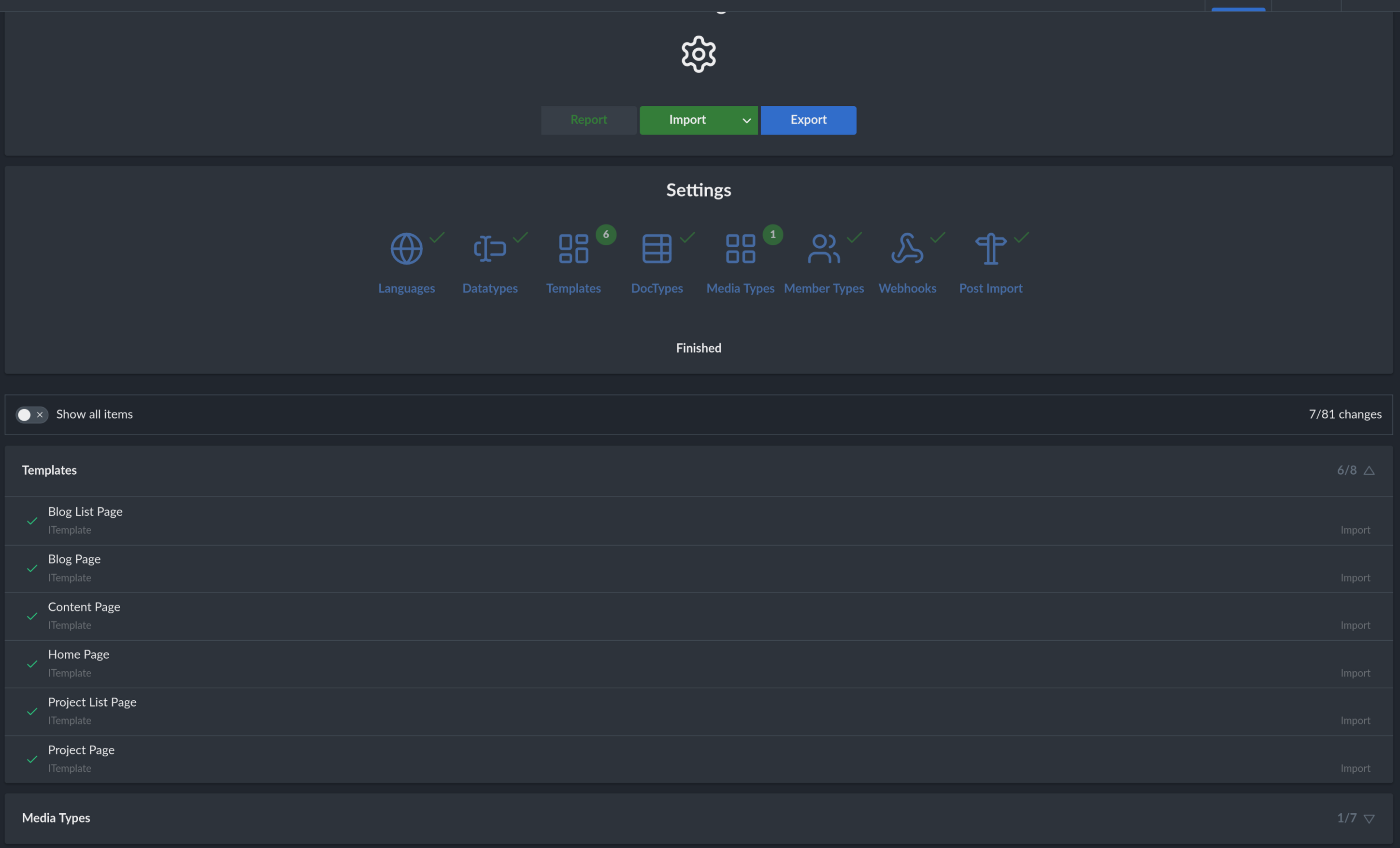


 .
.