We are developing an application on Umbraco 17, and recently we were directed to split the back office from the front end to aid with potential frontend scaling in the future.
The backoffice appService is set to be Publisher and the frontend is set to be Subscriber via appSettings variables. We have also tried to ensure that the Backoffice Appservice deploys before the Frontend in our deployment pipelines.
Any new Doctypes with Templates that we have created and set up in the Content Tree since this app split seem to get corrupted with every subsequent deployment, leading to broken links, although the pages themselves are still in the Content Tree. This seems to occur even if we do not run Usync after a deployment.
Resaving the page from the Publisher instance restores the links.
All old content appears to be unaffected.
Does anyone have any idea why this could be happening?
Have you followed the docs for load balancing to ensure you’ve got everything setup correctly?
When you say doc types and templates get corrupted, what do you mean by this? You should only make backoffice changes via the SchedulingPublisher instance, and this should be the only one that imports uSync and is used to make content changes.
You will need to set the server role explicitly on each instance otherwise Umbraco will use the first instance as the SchedulingPublisher by default.
In many scenarios this is fine, but in case this is not adequate there’s a few of options you can use:
Thanks for the swift response Justin, I believe the docs were followed but I am going to delve in to see if we have missed anything.
We wouldn’t be trying to the load balance the back office, just the frontend.
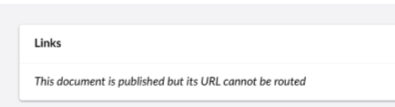
The message we see in the back office is “This document is published but its url cannot not be routed”
Hi Justin,
Thanks, I have read the related posts and we have been explicitly setting the Publisher instance.
On localhost the appSettings appear to be picked up fine and set the instance to be Publisher or Subscriber as expected, and I have verified the appSettings.json file on the BackOffice Appservice and the FrontEnd Appservice contain the correct values after the pipelines runs:
Not sure from what you’ve supplied. It may be best if you can render the appsetting and the current server role on a page on each server to check (if that’s possible?). The appsetting could be overwritten by an environment variable in Azure, or from an environment specific appsetting, for example.
AI has suggested the following which I’ve not tested (amend the key as appropriate):
@* Views/Partials/_ServerDiagnostics.cshtml *@
@using Microsoft.Extensions.Configuration
@using Umbraco.Cms.Core.Sync
@inject IServerRoleAccessor ServerRoleAccessor
@inject IConfiguration Configuration
@{
    // Only render with ?diag=change-me. Remove once finished.
    if (Context.Request.Query["diag"] != "change-me") { return; }

    // Replace with the key used for _serverConfig.ServerRole
    const string key = "LoadBalancing:ServerRole";

    var source = (Configuration as IConfigurationRoot)?.Providers
        .Reverse()
        .FirstOrDefault(p => p.TryGet(key, out _))?
        .ToString() ?? "not found";
}
<pre>
Machine:       @Environment.MachineName
Accessor type: @ServerRoleAccessor.GetType().FullName
Current role:  @ServerRoleAccessor.CurrentServerRole
Config value:  @(Configuration[key] ?? "(null)")
Value source:  @source
</pre>
Add to the layout:
@await Html.PartialAsync("_ServerDiagnostics")
Then load any page with ?diag=change-me on each app service. The backoffice should show SchedulingPublisher and the frontend Subscriber, both with your custom accessor type.
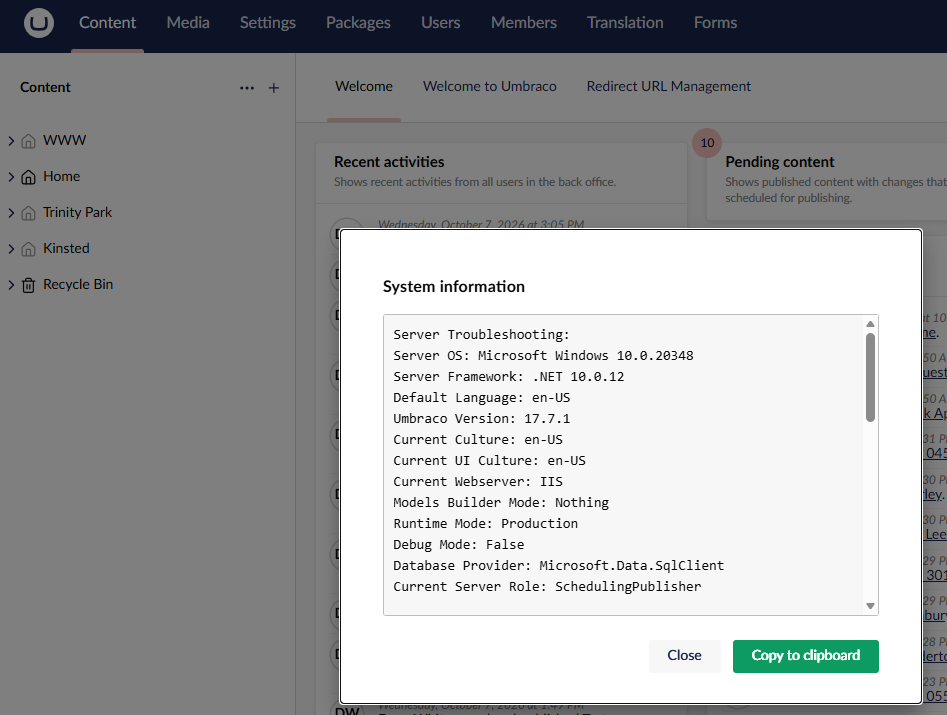
It’s a shame that the ServerRoleAccessor value isn’t displayed anywhere within the Umbraco backoffice to check these kinds of setups. Sadly, due to Front Door, on the Backoffice appservice /umbraco is the only place I can go.
I’ll see if I can do something with the above to at least verify on the front end appservice.
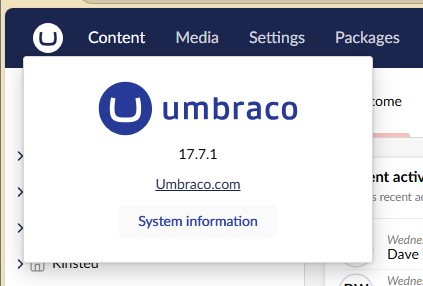
Thanks for that @mistyn8 - I didn’t realise that was in the system info popup!
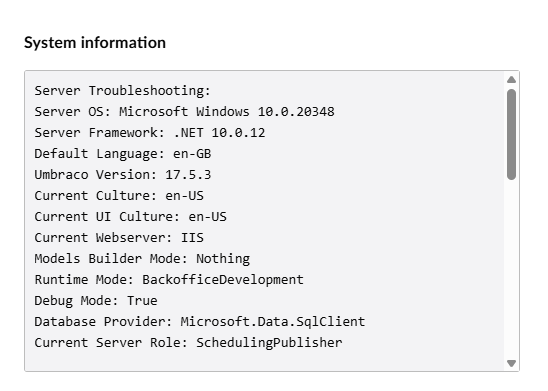
@gemmaprocentia You are a few versions behind the latest v17 (not that it will necessarily solve your problem but could be worth trying).
Also, Debug Mode: True and Runtime Mode: BackofficeDevelopment aren’t production settings. Production runtime mode is recommended for anything deployed, and debug should be off.
Yep, this is a Dev instance.
I’ve realised that our other split application, which is configured in the same way isn’t being affected because it’s still on 17.3 and this application is on 17.5. According to the other threads the bug emerged in 17.4.
I think in all likelihood we are going to have to wait for the release of 17.8 to resolve this.
Thanks for all the pointers all, they have been extremely helpful.
 (Current Server Role in the System Information from the umbraco logo top left)