After saving IContent using IContentService, the backoffice still shows "unsaved changes" and frontend doesn't reflect backoffice. Saving in backoffice works correctly

Hello,

I’ve migrated a v13 to v17 using uSync.Migrations. This includes conversion from Grid to BlockGrid. After the migration, everything in the backoffice looks good. However the column layout in the frontend doesn’t reflect the backoffice.

4-column layout (backoffice - good)

4-column layout (frontend - bad)

When I save and publish this content in the backoffice, it fixes itself:

4-column layout (frontend - good)

Since I have over 500+ pages, I don’t want to manually save each content. Therefore I tried using IContentService to do it programmatically.

Test with single content item:

var content = _contentService.GetById(Guid.Parse("0a76c794-81d8-4d38-ad5a-827598412fdc"));
var c = _contentService.Save(content);
var r = _contentService.Publish(content, content.AvailableCultures.ToArray());

Test with all content items (missing save, but don’t know how to add it, without going through each content separately):

var rootNodes = _contentService.GetRootContent();
foreach (var node in rootNodes)
{
    var result = _contentService.PublishBranch(node, PublishBranchFilter.ForceRepublish, node.AvailableCultures.ToArray());
}

Neither of these seem to do anything. After these actions, I’ve tried clearing Memory Cache, Database Cache, Rebuilding Indexes, clearing Cache programmatically. Nothing worked.

After trying to save/publish the content with the IContentService, I still receive the “discard unsaved changes” dialog:
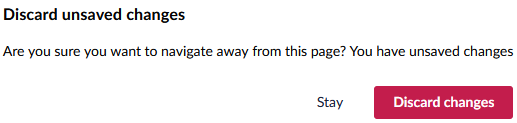
This dialog does not appear, when I manually save/publish in the backoffice.

How do I achieve the same result as the manual save/publish in the backoffice, but instead programmatically for every single content item that exists?

Best regards,
Jeremy

Hi @jhenkes

I think you need to look at the JSON for your BlockGrid in the database and see if anything is missing or wrong. It sounds like the backoffice UI is trying correct the JSON when you load the page, so by loading and saving the content via the API does not do the same.

If you create an new page with a BlockGrid and add some rows/columns/blocks, then compare that to the migrated JSON, can you see anything obvious that is different?

Justin

I’ve compared my example above before and after manual save:

Before
{
  "areas": [
    {
      "items": [
        {
          "areas": [
            {
              "items": [
                {
                  "areas": [],
                  "columnSpan": 12,
                  "contentKey": "9e361ac1-bca8-43fc-b97a-90bd26263e82",
                  "contentUdi": null,
                  "rowSpan": 1,
                  "settingsKey": null,
                  "settingsUdi": null
                }
              ],
              "key": "610d84dd-4df5-34ce-b81b-710e8ebb4871"
            }
          ],
          "columnSpan": 12,
          "contentKey": "4da6eb2e-db3a-4c88-a107-5314eae63b7f",
          "contentUdi": null,
          "rowSpan": 1,
          "settingsKey": null,
          "settingsUdi": null
        }
      ],
      "key": "234bf25d-df0f-3a72-8774-e1b1667982f5"
    }
  ],
  "columnSpan": 12,
  "contentKey": "8a3c55ea-302c-4141-9797-704a97a5de21",
  "contentUdi": null,
  "rowSpan": 1,
  "settingsKey": "b7162072-f82c-4558-ab39-8997912087e3",
  "settingsUdi": null
}
After
{
  "areas": [
    {
      "items": [
        {
          "areas": [
            {
              "items": [
                {
                  "areas": [],
                  "columnSpan": 12,
                  "contentKey": "9e361ac1-bca8-43fc-b97a-90bd26263e82",
                  "contentUdi": null,
                  "rowSpan": 1,
                  "settingsKey": null,
                  "settingsUdi": null
                }
              ],
              "key": "610d84dd-4df5-34ce-b81b-710e8ebb4871"
            }
          ],
          "columnSpan": 3,
          "contentKey": "4da6eb2e-db3a-4c88-a107-5314eae63b7f",
          "contentUdi": null,
          "rowSpan": 1,
          "settingsKey": "c0d5ede6-f32a-41f4-90dd-de9c987e60a2",
          "settingsUdi": null
        }
      ],
      "key": "234bf25d-df0f-3a72-8774-e1b1667982f5"
    },
    {
      "items": [],
      "key": "76385525-4d96-368f-9ea8-f1a32290ba38"
    },
    {
      "items": [],
      "key": "cf69d1f0-33c8-371d-8e8e-cc19bd9ec976"
    },
    {
      "items": [],
      "key": "5ef3c8cb-eef6-3ae8-bf68-d52276c09f5c"
    }
  ],
  "columnSpan": 12,
  "contentKey": "8a3c55ea-302c-4141-9797-704a97a5de21",
  "contentUdi": null,
  "rowSpan": 1,
  "settingsKey": "b7162072-f82c-4558-ab39-8997912087e3",
  "settingsUdi": null
}

The “before” is missing three additional “items” (=columns), the settingsKey and the columnSpan is wrong (12 instead of 3). So you are right, the backoffice seems to be correcting the JSON. I’m still surprised that the backoffice is even able to fix these things.

So basically, it’s an issue with the Grid->BlockGrid conversion and like you’ve said, the Backoffice is fixing these issues when rendering the page and these fixes get saved. When loading the content via IContentService, there are obviously no fixes automatically applied and thus, saving the content doesn’t change anything.

With that being said, my original question has been answered. Thank you! :high-5-you-rock:

Hi ,

If you have the orginal files you migrated this from, then i would be great if you could pop something into an issue on the uSync.Migrations repo.

and we could have a look at working out the root cause for others.

Hey,

I’ll try to create a minimal reproducible example (and possible fix), because I can’t share my original content files. Also this specific site came from a previous 7->13 migration and I’d like to rule out that these issues are due to the previous migration.

Unfortunately though, it’ll be a while before I get round to it.