Background
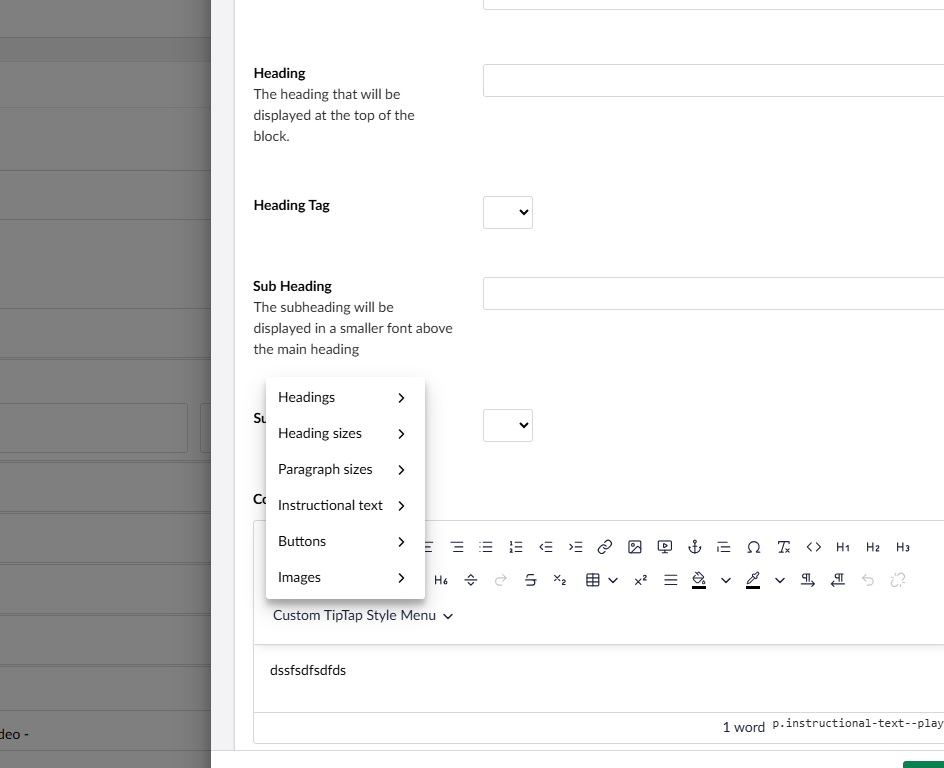
I have added custom styles to the Umbraco 17 TipTap RTE via a umbraco-package.json, which all works great
When I select one of these options, again it works great and the classes are applied to the markup. Take for example
<p class="text text--medium">
Problem
I cannot add my own style sheet to style .text–medium and no way (it appears) to inject my styles. The issue appears to be the ShadowDom? I have tried everything I can think off at this point.
Any ideas?
Hi @charlesa-ccs
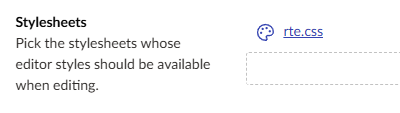
Have you created a CSS file under Stylesheets in the backoffice and associated it with your RTE data type?
Until you do that, the CSS won’t get applied in the backoffice.
Justin
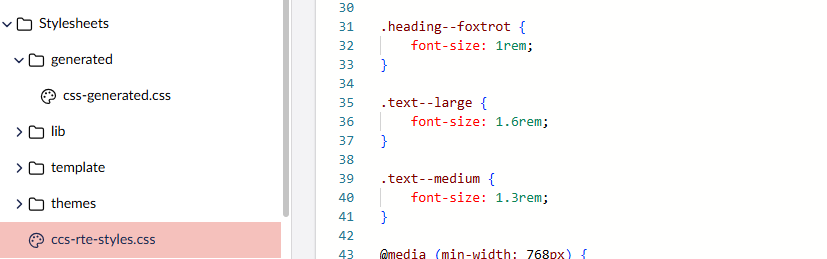
Hi @justin-nevitech the style sheet is there and loaded correctly.
For example when I add the class ‘text–large’ to a <p></p> within the TipTap RTE I expect to see the text at font-size: 1.6rem, but this style is never picked up looking in devtools  .
.
Hi @charlesa-ccs
Have you added it into your RTE datatype as per my screenshot?
Justin
I did not see your screen shot. Of course it needs to be added to the RTE via the styles 
Thanks so much! That was driving me insane