@haskichasan I’m finally working 
I used all.css for the style css which fixed the missing icons and brands.css for the rules
![A screenshot of a configuration panel for Font Awesome 6 (Brands) on a website, showing settings for Configuration Type, templates, CSS files, and rules for selectors and source files.
Ive had to change the regex to .(fa-[\w-]+) as it was rejecting icons with 2 hyphens
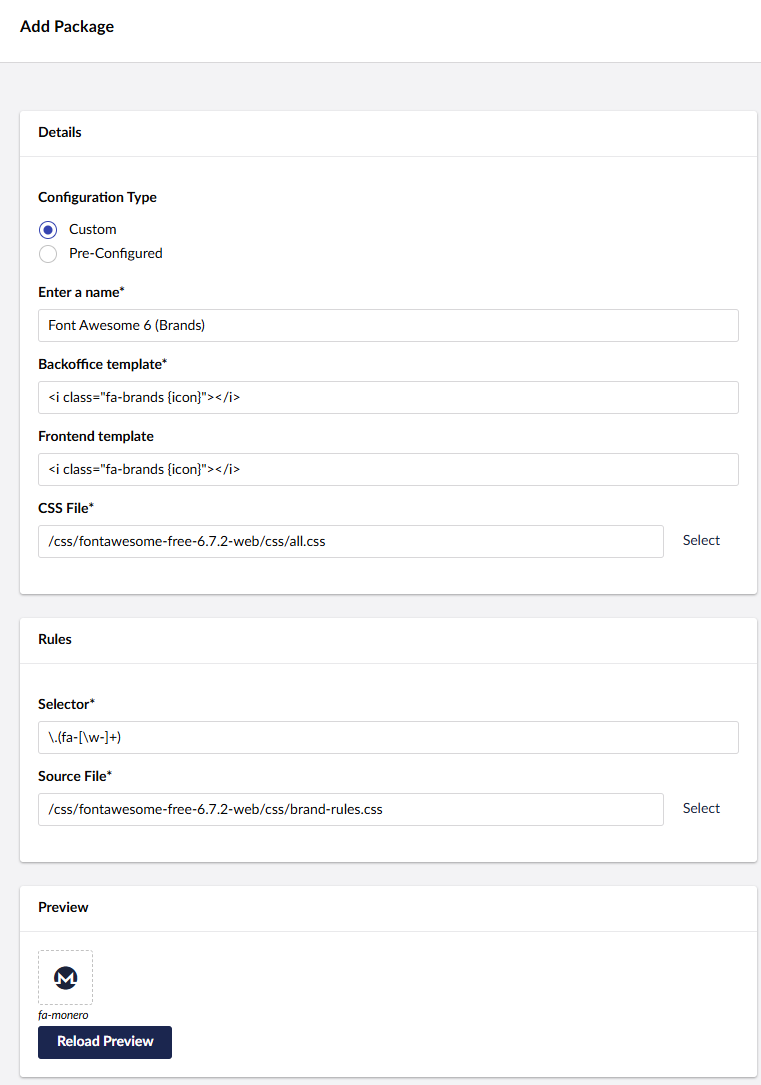
Ive also copied brands.css to brand-rules.css so i could remove the fa-brands style at the top which means you can see the icon working on the property page as it shows fa-monero instead of fa-brands.