Hi @charlesa-ccs ,
Shadow DOM in the new Umbraco 17 backoffice definitely makes standard CSS overrides frustrating since you can’t easily pierce the component boundaries with a global stylesheet.
I was looking at this and just tested a setup on my end to achieve exactly what you need.
The cleanest way around this isn’t to force CSS into the existing element, but to register a lightweight custom Property Editor UI that reuses the core Umbraco radio schema. You don’t even need a Vite build step for this; you can drop a vanilla JS Proof of Concept right into your project using the native import maps.
Here are the steps to get it running:
1. Create the plugin folder: Inside your project’s App_Plugins folder, create a new directory named InlineRadio.
2. Add the manifest: Create an umbraco-package.json file inside that new folder. This registers your UI and hooks it to the built-in radio button data contract.
{
  "$schema": "../../umbraco-package-schema.json",
  "name": "Inline Radio Setup",
  "version": "1.0.0",
  "extensions": [
    {
      "type": "propertyEditorUi",
      "alias": "Custom.InlineRadio",
      "name": "Inline Radio UI",
      "js": "/App_Plugins/InlineRadio/inline-radio.js",
      "meta": {
        "label": "Inline Radio Button List",
        "icon": "icon-list",
        "group": "common",
        "propertyEditorSchemaAlias": "Umbraco.RadioButtonList"
      }
    }
  ]
}
3. Add the web component: Next to the manifest, create the inline-radio.js file. This pulls in Lit from the backoffice, applies the horizontal layout, and dynamically loops through the pre-values configured in your Data Type.
import { LitElement, html, css } from "@umbraco-cms/backoffice/external/lit";
import { UmbPropertyValueChangeEvent } from "@umbraco-cms/backoffice/property-editor";

export default class CustomInlineRadioElement extends LitElement {

    static properties = {
        value: { type: String },
        config: { type: Object, attribute: false },
        _items: { state: true } // Tells Lit to automatically re-render when items load
    };

    static styles = css`
        uui-radio-group {
            display: flex;
            flex-direction: row;
            flex-wrap: wrap;
            gap: 1.5rem;
        }
    `;

    constructor() {
        super();
        this.value = "";
        this._items = [];
    }

    // Intercept the config collection provided by Umbraco
    set config(configCollection) {
        if (configCollection && typeof configCollection.getValueByAlias === 'function') {
            this._items = configCollection.getValueByAlias('items') ?? [];
        } else if (Array.isArray(configCollection)) {
            const itemsConfig = configCollection.find(x => x.alias === 'items');
            this._items = itemsConfig ? itemsConfig.value : [];
        }
    }

    #onChange(e) {
        this.value = e.target.value;
        this.dispatchEvent(new UmbPropertyValueChangeEvent());
    }

    render() {
        return html`
            <uui-radio-group .value="${this.value}" @change="${this.#onChange}">
                ${this._items.map(item => {
            // Extract the string directly, with a fallback for object schemas
            const val = typeof item === 'string' ? item : item.value;

            return html`
                        <uui-radio value="${val}" label="${val}">
                            ${val}
                        </uui-radio>
                    `;
        })}
            </uui-radio-group>
        `;
    }
}

customElements.define('custom-inline-radio', CustomInlineRadioElement);
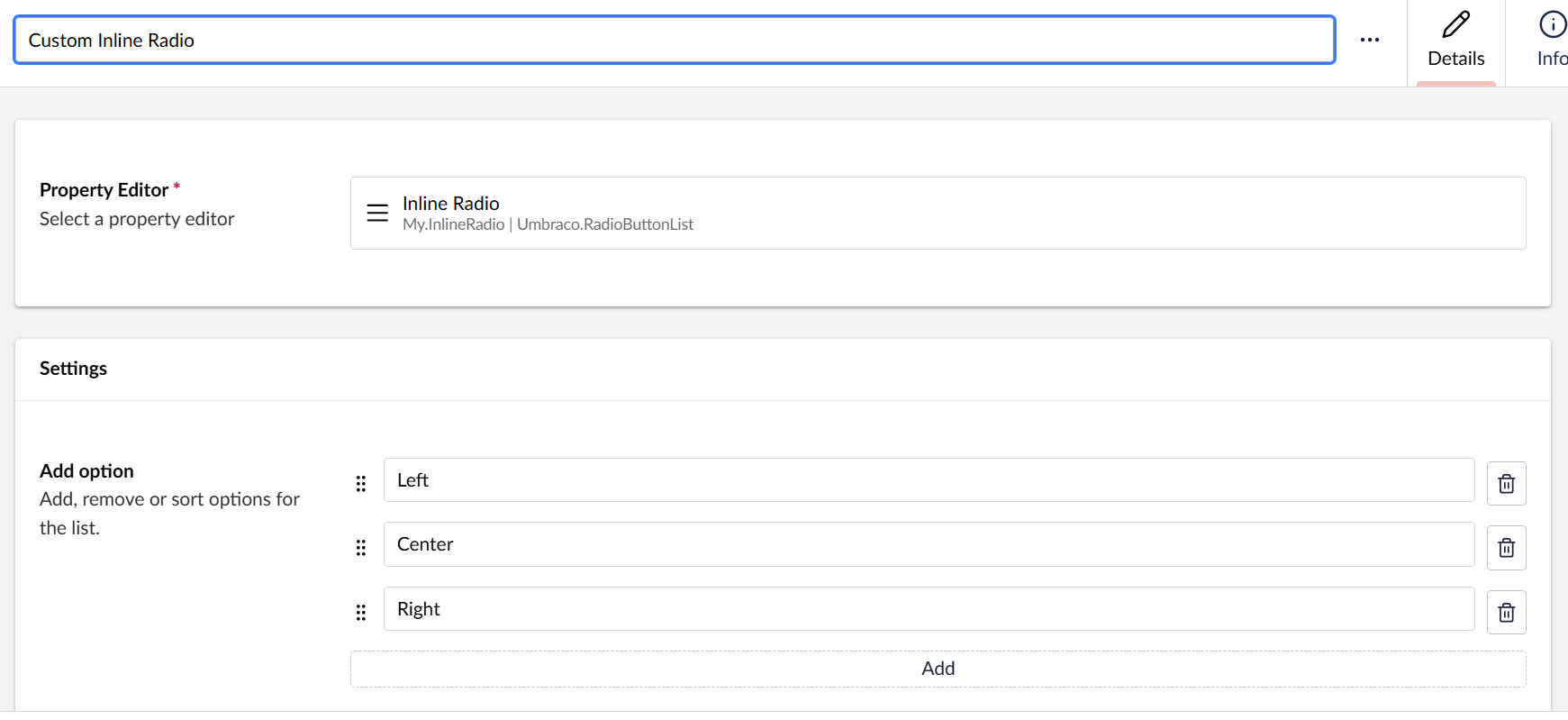
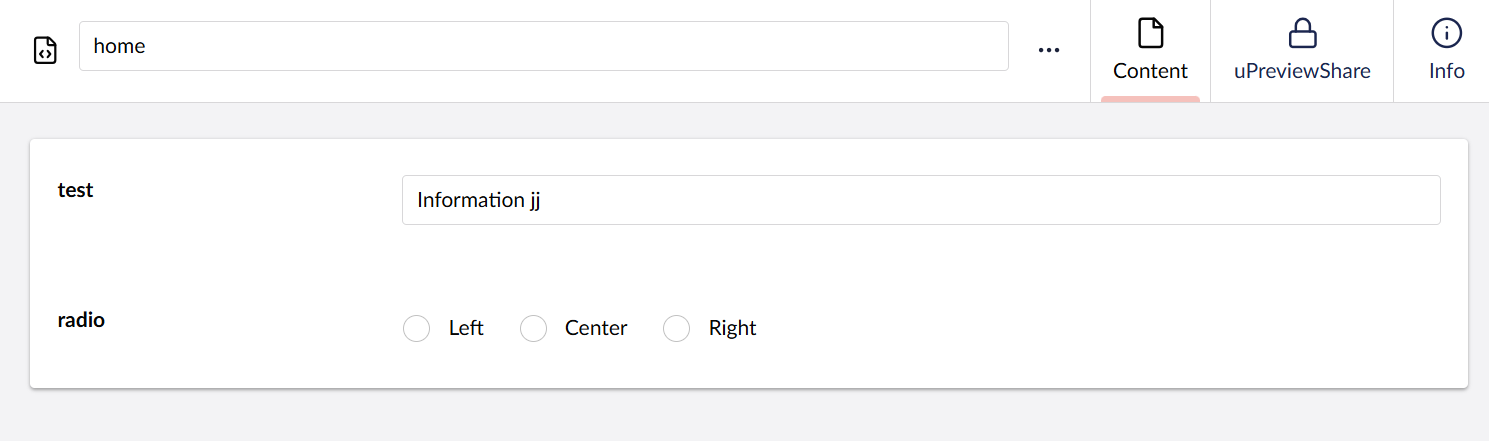
4. Test it out: Restart your Umbraco app so the server picks up the new manifest. Head over to Settings → Data Types, create a new one, and search for “Inline Radio Button List” (your new custom UI). Add your options (e.g., Left, Center, Right) just like normal. Assign that Data Type to your Document Type, and your radio buttons will render perfectly in a horizontal line.
Here’s how it looks:
Let me know if you run into any issues getting this running!
Regards,
Shekhar