I’m going to build you a beta version of the package tomorrow, it’s getting late. But this is the result. It’s probably much more granular than you need, but…why not, right?
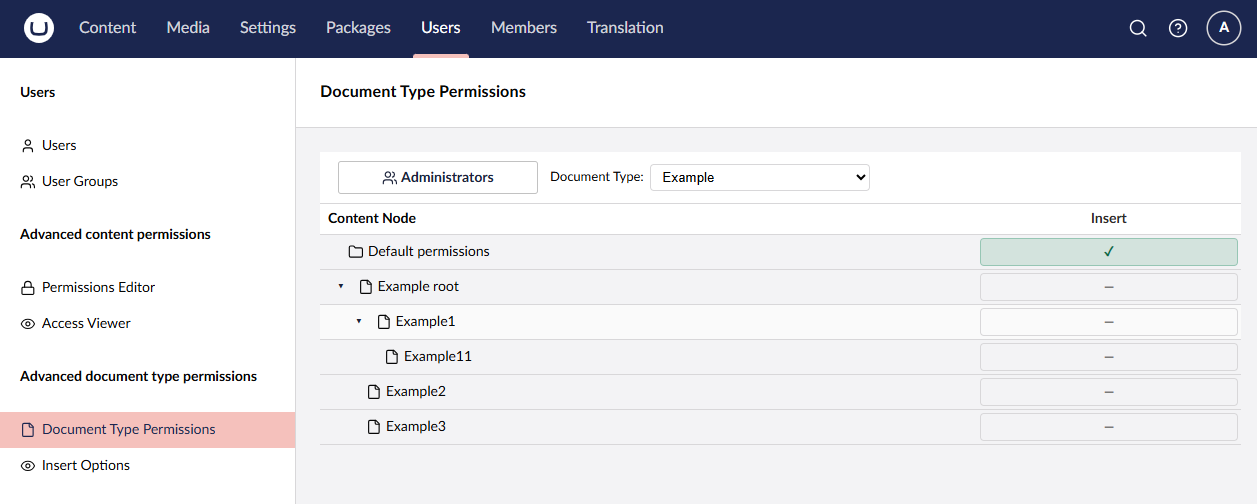
I added an additional ‘Advanced document type permissions’ sidebar section. You select a role and document type (that’s still a bit of an ugly dropdown) and you can set ‘insert’ permissions. The insert permission if whether the document type will show up in the ‘create’ menu if it’s in there. It does not automatically add it to the create menu if it’s not set as an option on the document type.
So in your case, if you have a role and you just don’t want that document type visible at all for all users in the group, you just set the default permissions to deny and be done. But his granular control makes it possible to do this at the node level if you want to. This is especially handy if you have multiple sites in one instance; you can differ these permissions per site if you need to.
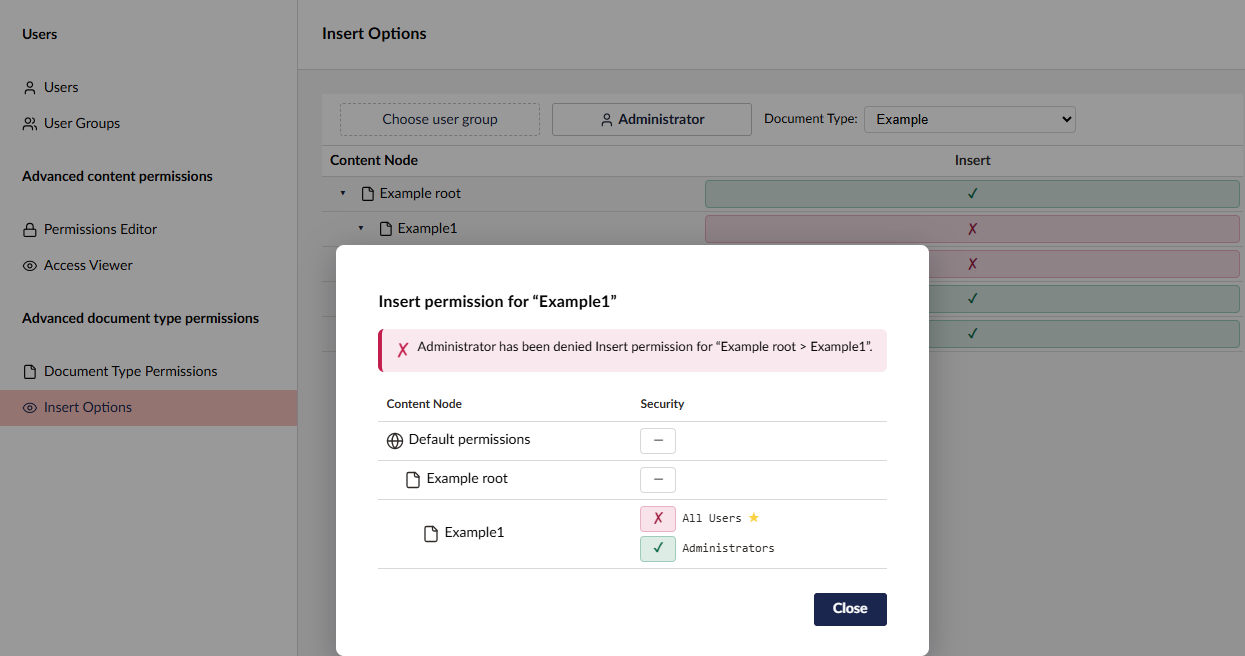
And just like with the content permissions, you can see what the effective insert options are for a given user group or user. Especially with users that have multiple groups, you can see the effective permission:
And the best part is that in the future, we could add additional permissions on the document type, like ‘delete’ or ‘move’. This way you can for instance set the ‘delete’ permission on the homepage to deny for everybody so that you are sure that no instance of a homepage document type can get deleted.